USB-C chargers ownership guide: heat, travel weight and replacing cables
A compatible USB-C charger still needs clear airflow, an appropriate cable and regular inspection. Heat, loose ports and travel damage are signals to investigate, not reasons to improvise repairs or conceal the unit under soft furnishings.
In this guide
Keep the power path documented and visible
Pair the charger, cable and device by supported power and protocol, then use them where heat can disperse. Label high-power cables, avoid tight bends at connectors and replace any component with damaged insulation, discolouration, unstable connection or unexplained excessive heat.
USB-C describes the connector shape, not a single charging speed or cable capability. The device, charger and cable negotiate what can be delivered. For the initial specification decision, use our USB-C charger buying guide.
Record what each port and cable supports
Keep the charger model, output table and manual in a simple household equipment note. Multi-port chargers may divide power differently when two or more ports are occupied. A laptop that charges at full speed alone may slow when a phone is added. That can be normal if documented, but repeated connect-disconnect cycling needs investigation.
Mark cables by intended job without covering safety information. A cable that handles phone charging may not support a laptop’s required current, video or high-speed data. Connector shape alone cannot confirm capability. The same matching discipline matters when choosing a power bank for phones or laptops: port shape, protocol and rated output must all agree.
Normal warmth and warning heat are not the same
| Observation | Possible meaning | Safe response |
|---|---|---|
| Warm during sustained charging | Conversion losses under load | Keep ventilated and compare with the manual |
| Hotter after adding a second device | Higher total load or power sharing | Check the port allocation and rated total |
| Heat at one connector | Loose, dirty or damaged contact | Disconnect safely and inspect; do not keep testing |
| Discolouration, smell or deformation | Potential overheating damage | Stop use, isolate when safe and seek manufacturer advice |
| Intermittent charging | Cable, port, power or software issue | Test only with known-compatible sound components |
Surface temperature limits and case materials vary, so touch is not a precision instrument. The important pattern is a new or localised change, especially with smell, buzzing, melting, scorch marks or unstable charging. Never cool a charger with water or place it in a fridge.
Give the charger airflow
Use the charger on a firm, dry surface where vents and casing are exposed. Do not charge beneath bedding, a sofa cushion, clothing or a packed bag. Avoid direct sun, cooking steam and radiators. A compact gallium-nitride design can be efficient but is not heat-free.
Do not stack several chargers so their hottest surfaces touch. Multi-way extensions and travel adaptors have their own ratings and safety conditions. For the wider household context, our energy-efficient appliances guide separates measurable electricity use from vague efficiency claims.
Inspect cables without destructive bending
Monthly visual check
- Look for cuts, exposed conductor, crushed sections and discolouration.
- Check both connector shells for looseness, distortion or debris.
- Inspect the strain-relief area without sharply flexing it.
- Confirm the cable no longer feels unusually warm in one spot.
- Remove tight knots and replace elastic bands that compress the jacket.
- Retire a suspect cable rather than reserving it for a lower-power device.
Clean only as the manufacturer permits, with everything disconnected. Do not insert metal tools into a connector. If a port contains impacted debris or has bent contacts, seek competent service. A cable is usually a replaceable consumable; a damaged charger enclosure is not a home repair project.
Replace by rating, not appearance
When replacing a cable, match connector ends, current or wattage capability, required data and video features, length and certification evidence. A longer cable can add resistance and may have different high-power support. Promotional “fast charging” wording is incomplete without a compatible protocol and rating.
For a charger replacement, match device requirements and the number of simultaneous loads. Do not buy an untraceable product merely because its printed wattage is higher. Use our online-shop legitimacy guide to check seller identity and safety information.
Port wear and connection habits
Insert connectors straight and remove them by the shell rather than pulling the cable. Side loading from a heavy adaptor or a cable trapped under furniture can loosen device and charger ports. Provide enough slack for ordinary movement without leaving a trip loop.
If charging begins only at an angle, stop forcing the connector. The fault may be in the cable, charger or device port. Repeatedly wiggling it can enlarge damage and create heat. Document the symptom and test through the manufacturer’s safe troubleshooting sequence.
Travel: plug adaptation is not voltage conversion
Read the charger input line. Many accept a wide AC voltage and frequency range, but the exact label controls. A passive travel plug changes physical connection only; it does not convert voltage. The destination socket, adaptor and any extension must suit the load and local rules.
Pack chargers after they are cool, with prongs protected from bending and cables loosely coiled. Do not place a heavy power bank on top of connector ends. Airlines and security rules may distinguish chargers from battery packs; power banks normally belong in cabin baggage under carrier limits. Check the current airline before travel.
Choose one travel charger or separated redundancy
Weight and socket count lead
Its total and per-port allocation supports the real device combination, and one failure would not create a critical access problem.
Resilience leads
You need independent power for essential devices, can manage extra weight and avoid concentrating every task in one unit.
Measure energy without exaggerated savings
Standby and conversion losses vary. Unplugging can reduce unnecessary exposure and small standby use where the manufacturer recommends it, but the major ownership decision is often using the correct charger safely and avoiding premature replacement. Do not claim a universal saving from one design.
If comparing electricity, multiply measured kilowatts by hours and the current tariff. The running-cost guide provides the method. USB charging loads are often small compared with heating appliances, so present figures with appropriate scale.
Faults, recalls and disposal
Keep proof of purchase and check manufacturer notices if a charger behaves unexpectedly. Search the UK product-safety alerts database using the exact brand and model. Do not continue using a recalled product because it appears normal.
Chargers and cables are electrical waste and should not go into ordinary household rubbish where local collection treats them as WEEE. Remove personal labels, follow council or retailer recycling instructions and never place a charger with a built-in battery into the wrong stream. Our repairability guide helps decide when support or replacement is realistic.
Test one change at a time
When charging becomes slow or intermittent, changing charger, cable and socket together hides the cause. Start with the device and maker-recommended combination, inspect every connector with power removed and change one known-good component at a time. Record whether the fault follows a cable, port, load level or multi-port arrangement.
Do not repeatedly force or reverse a damaged connector. USB-C is reversible when intact, but debris, a bent shell or a loose internal tongue can make insertion abnormal. Do not probe a powered port with metal. Follow the manufacturer’s cleaning method or seek service when contamination cannot be removed safely.
Separate charging cables from data-critical cables
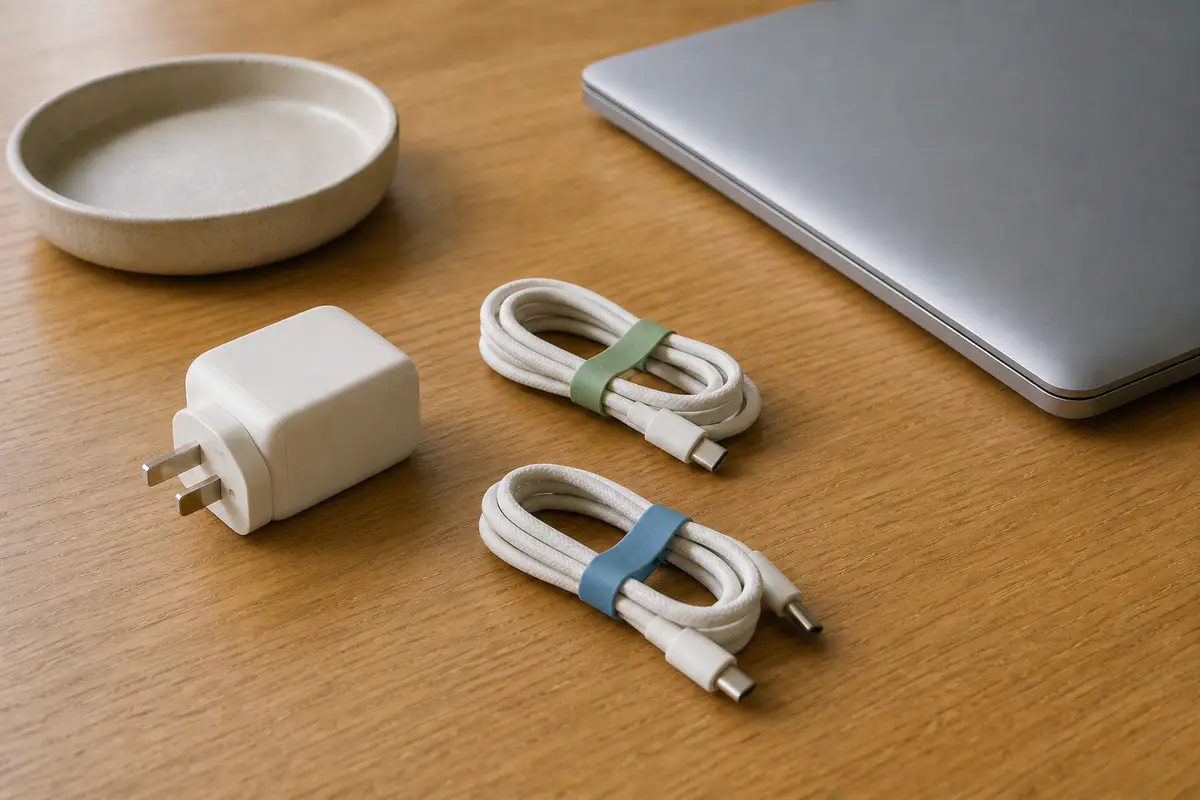
Households often accumulate visually similar cables with different capabilities. Store high-power, display-capable and ordinary charging cables in separate labelled compartments, using a household label beside rather than over safety information. Keep the purchase or specification record digitally so it remains available if the physical band is lost.
A cable that charges a phone is not thereby proven for high-speed storage or an external display. Conversely, a capable data cable may be unnecessarily stiff or short for bedside charging. Assign each cable to its actual job and retire untraceable spares that cannot be used confidently.
Shared chargers need a household rule
A family charging station should have clear maximum loads, airflow and cable ownership. Children should not play with loose leads or damaged plugs. Visitors should not be invited to connect an unknown high-load device to a marginal adaptor chain. Keep liquids, pets and soft furnishings away from the power area.
Before loaning a charger, explain which port is intended and return it with the same cable. A documented shared charger can reduce duplicate purchases, but only when everyone can recognise damage and knows to stop use rather than quietly swapping components.
Balanced verdict
Safe USB-C ownership depends on the whole power path: source, charger, port, cable, device and environment. Keep capability labels, allow airflow, respond to changes in heat or connection and replace damaged cables with documented equivalents. Convenience is valuable only while the setup remains traceable and stable.
Browse the Tech & Audio archive for more power, device and accessory guidance.
Official safety and specification resources:
USB-IF: USB Power Delivery ↗Electrical Safety First: home safety ↗UK product safety alerts and recalls ↗
Frequently asked questions
Is it normal for a USB-C charger to get warm?
Some warmth under load can be normal. New, localised or excessive heat, smell, noise, deformation or instability requires disconnection and investigation.
Can any USB-C cable charge a laptop?
No — Match the cable’s documented current or wattage and protocol support to the charger and device.
Can I leave a charger plugged in?
Follow manufacturer advice, keep it ventilated and inspect it. Disconnect before cleaning, travel or when damage is suspected.
Does a travel adaptor convert voltage?
A passive plug adaptor normally does not. Read the charger’s exact input range and destination requirements.
When should a USB-C cable be replaced?
Replace it after insulation damage, exposed conductor, loose or distorted connectors, localised heat, discolouration or unreliable contact.
Methodology and limitations
We assessed USB-C charger ownership through protocol documentation, electrical-safety guidance, heat management, cable ratings, mechanical wear, travel, fault response and disposal.
Limitations
We did not temperature-test named products or certify third-party accessories. Device and charger requirements vary; follow exact manuals and current alerts.