Network switches buying guide: ports, speed, PoE and management
A network switch adds wired connections to a local network, but the right model depends on the traffic path, cable capability, powered devices, installation location and the level of control someone will actually maintain.
In this guide
Map every connection, then leave sensible headroom
For a simple home network, an unmanaged gigabit switch with enough ports and two or three spare positions is often sufficient. Buy faster links, Power over Ethernet or managed features only when the connected devices, cabling and administrator have a defined need.
A switch does not increase the broadband speed purchased from an internet provider. It moves local Ethernet traffic and gives more wired devices a path to the router or one another. If the real problem is wireless coverage, begin with the mesh Wi-Fi versus extender guide rather than assuming more ports will solve it.
Start with a connection map
Draw the router, switch, computers, access points, televisions, consoles, storage, cameras and any other wired devices. Mark the intended speed of each link and whether the endpoint needs power over Ethernet. Then identify the uplink: a fast switch can still be constrained by a single slower connection to the router or storage device.
Count occupied ports including the uplink, not just endpoints. Add realistic headroom for a work computer, access point or network storage upgrade, but do not buy a very large chassis without a plausible use. More ports can mean greater size, power draw and fan requirements.
The main choices at a glance
| Decision | Suitable starting point | Check before upgrading |
|---|---|---|
| Ports | Current total plus two or three spare | Uplink uses a port; form factor grows |
| Speed | Gigabit for many ordinary home links | Endpoints and cable must support more |
| Management | Unmanaged for plug-and-play expansion | Who will configure and update features? |
| PoE | Only for compatible powered endpoints | Per-port standard and total watt budget |
| Cooling | Fanless for quiet low-power locations | Temperature and load still need airflow |
| Mounting | Desktop or wall for small installations | Rack width, brackets, depth and cables |
Port count: include uplinks and physical access
A five-port switch may provide only four free endpoint connections after its uplink to the router. Some models have dedicated or faster uplink ports; others treat every port equally. Check the actual diagram rather than relying on category language.
Consider cable direction and connector clearance. Ports on the rear can keep a desk tidy, while front ports are easier to patch in a cabinet. Status lights that face a bedroom or media room may be distracting. Wall mounting can save surface space only when screw spacing, cable bend radius and power lead direction work in the real location.
Speed: the slowest relevant link sets the path
Gigabit Ethernet is a practical baseline for many home and small-office devices. Multi-gigabit links can help fast local storage, modern access points and workstations, but the benefit requires compatible ports at both ends and suitable cabling. Buying a faster switch does not upgrade a device whose network interface remains slower.
Examine which ports support the advertised speed. A switch described as multi-gigabit may provide that capability on only some ports. Also check switching capacity and forwarding specifications when many fast links will be active together. For ordinary household traffic, theoretical maximums should not displace reliability, noise and layout.
Our future-proof technology guide explains how to match headroom to a plausible upgrade. Do not replace correctly installed cable merely because a higher category number exists; identify the required link and certify the actual path where performance matters.
Unmanaged, smart or fully managed?
An unmanaged switch learns where devices are connected and forwards traffic without a configuration interface. It is appropriate when the requirement is simply to add trusted wired endpoints on one network. Simplicity reduces setup and maintenance burden.
A smart or managed switch can provide features such as virtual LANs, link aggregation, traffic monitoring, loop prevention and access controls. Those features solve real problems in segmented or administered networks, but a forgotten configuration can create outages or false confidence. Confirm that the chosen model supports the exact feature and standard needed; “managed” is not one universal specification.
You need straightforward wired expansion
All endpoints belong on the same trusted network and nobody needs traffic segmentation or formal monitoring.
You have a documented control requirement
VLANs, monitoring, aggregation or policy are needed and a named person will secure, update and back up the configuration.
Power over Ethernet needs two separate checks
PoE can carry power and data to compatible access points, cameras or phones, reducing local adapters. First confirm the standard and power class accepted by each endpoint and supplied by each port. Second total the maximum power demand and compare it with the switch’s overall PoE budget. The number of PoE-labelled ports does not mean all can deliver their maximum simultaneously.
Leave headroom rather than designing at the precise budget limit. Check whether high-power ports are restricted to particular positions and whether long cable runs affect installation. Passive proprietary power arrangements are not interchangeable with standards-based PoE; using the wrong power method can damage equipment.
- Endpoint: record its supported PoE standard and maximum demand.
- Per port: confirm the switch can supply the required class.
- Total budget: add every simultaneous load and leave headroom.
- Power supply: check whether the full-capacity adapter is included.
- Failure plan: decide which devices must remain powered during an outage.
Noise, heat and power matter around the clock
A switch is commonly left on continuously. Compare idle and expected power consumption, not only the maximum rating. PoE load adds heat and can require active cooling. Fan noise that is acceptable in a communications cupboard may be intrusive beside a desk or television.
Fanless does not mean ventilation-free. Follow the maker’s clearance and temperature limits, avoid enclosed piles of equipment and keep vents clear. Metal enclosures can help heat distribution and physical robustness, while plastic may be lighter; design and operating limits matter more than material prestige.
Security and updates are product requirements
An unmanaged switch has little or no user-facing administration, but the network around it still needs a secured router and sensible physical access. A managed switch introduces credentials, firmware and configuration. Change default credentials, restrict the management interface, use supported secure protocols and apply relevant updates from the manufacturer.
Check the published support route and whether firmware can be obtained without an unclear account dependency. Back up the configuration after deliberate changes and record the model and version. The smart-home compatibility guide covers wider device and ecosystem dependencies.
Do not confuse a switch with a router, hub or splitter
A router connects networks and commonly provides internet gateway, firewall, addressing and wireless functions. A switch expands Ethernet connectivity within a local network. A passive cable splitter does not provide the same independent full network connections as a powered switch. A USB Ethernet adaptor adds a network interface to one device rather than expanding the whole network.
If only one computer lacks a wired port, our laptop docking-station guide may identify a smaller solution. If several fixed devices need reliable local links, the switch is the appropriate category.
Plan for resilience and troubleshooting
Label both ends of permanent cables and record which switch port serves each endpoint. Keep the uplink visually distinct without exposing credentials. Status lights can help identify link and activity, but their colour meanings differ by model. A basic spare cable is often more useful for diagnosis than an expensive feature upgrade.
When performance disappoints, test one path at a time: endpoint interface, cable, switch port, uplink and destination. Rebooting everything simultaneously hides the cause. For important home working, consider whether the router, switch and access point need an appropriately sized uninterruptible power supply, then follow the electrical and battery instructions.
A pre-purchase specification sheet
- Draw every endpoint and the uplink path.
- Count occupied ports and add modest expansion headroom.
- Record required link speed at each port.
- List PoE standards and total simultaneous watt demand.
- Choose unmanaged or managed from a specific control need.
- Check dimensions, mounting, noise, ventilation and power supply.
- Review firmware support, warranty and final delivered cost.
Use the product-specification guide to keep unlike models on the same evidence sheet.
Balanced verdict
Most ordinary home expansions need a reliable switch with enough gigabit ports, quiet operation and sensible spare capacity. Multi-gigabit, PoE and management become valuable when a mapped endpoint or policy requires them. Specify the whole path, power budget and maintenance owner before paying for features, and leave enough physical and electrical headroom for the installation to remain stable.
Continue with the Tech & Audio archive or review installation risks with our electrical-safety checklist.
Official and standards guidance:
Ethernet Alliance ↗IEEE 802.3 Ethernet standard ↗NCSC: managing networked devices ↗
Frequently asked questions
Does an Ethernet switch make broadband faster?
No. It adds or organises local wired connections; internet speed remains limited by the service and relevant network path.
How many switch ports do I need?
Count every endpoint plus the uplink, then add two or three realistic spare ports rather than buying from endpoints alone.
Do I need a managed switch at home?
Usually not for simple expansion. Choose managed only for a defined need such as VLANs, monitoring or aggregation that someone will maintain.
Can every PoE switch power every PoE device?
No. Match the endpoint standard and demand to the port capability and confirm the switch’s total simultaneous power budget.
Is a fanless switch always better?
It is quieter, but must still operate within temperature and ventilation limits. Higher PoE loads or port counts may require active cooling.
Methodology and limitations
We assessed port planning, Ethernet speeds, PoE standards, management, installation, energy, security, support and troubleshooting.
Limitations
Actual throughput depends on the entire path, configuration and traffic. Verify endpoints, cables, firmware and exact product specifications before purchase.
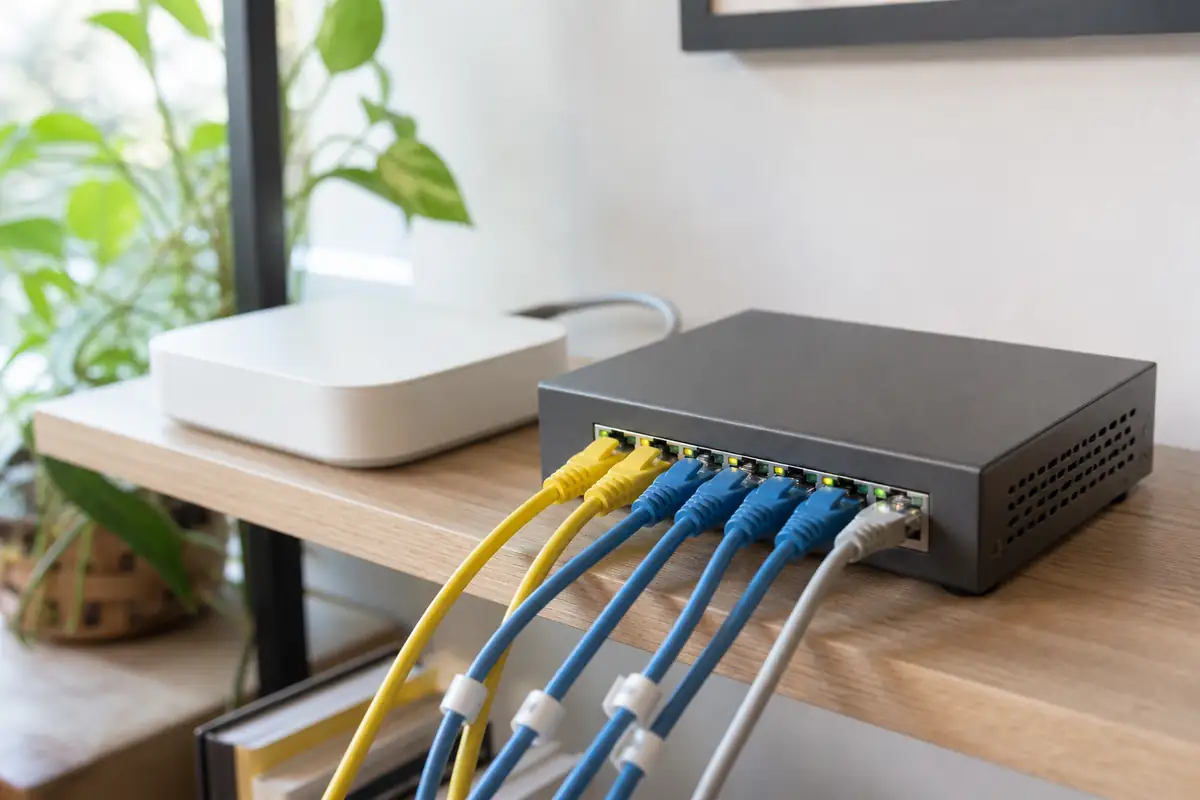
The image is an editorial illustration, not a photograph from a product test. Links are editorial and non-affiliate.