Robot vacuum home-readiness audit: floors, thresholds, cables, docks and Wi-Fi
Before comparing robot vacuums, test whether the home can support reliable navigation, charging and safe unattended cleaning. Map every physical and digital obstacle.
In this guide
Audit the home before paying for navigation features
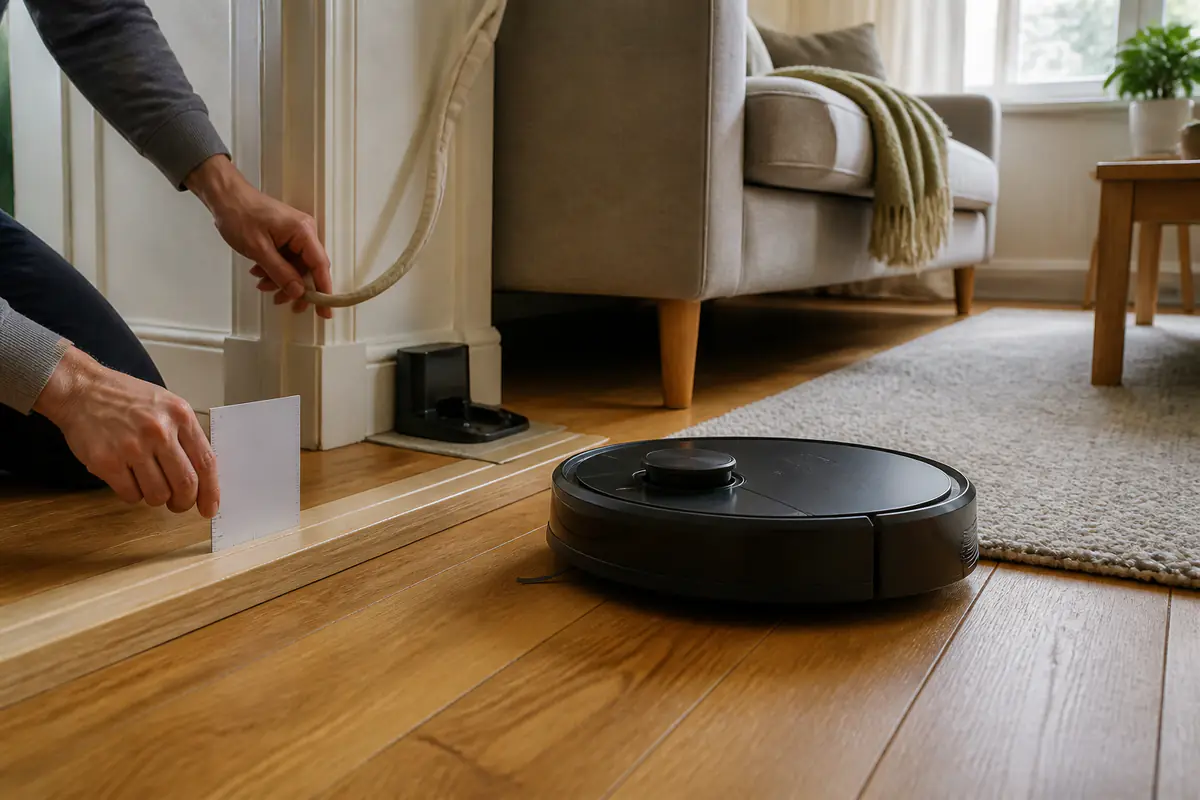
Measure thresholds, low furniture, rug edges, stair drops, cable zones, dock clearance and Wi-Fi coverage on the exact cleaning route. A capable robot still fails in an unprepared layout. The useful result may be a smaller cleaning zone, physical changes, or choosing a conventional vacuum instead.
Use the general robot-vacuum buying guide after this audit, compare manual cleaning with cordless versus robot vacuums, and assess connected-device longevity through future-proof tech.
| Zone | Measure or test | Pass condition | Likely intervention |
|---|---|---|---|
| Thresholds | Height, profile and approach | Within verified model ability | Ramp, zone split or manual clean |
| Furniture | Lowest clearance and pinch points | Reliable entry and exit | Exclude or raise safely |
| Dock | Level space, socket and route | Stable return from all zones | Relocate or add manual routine |
| Network | Signal, account and permissions | Setup and core controls acceptable | Improve network or choose less-connected model |
Home audit record
- Draw rooms and cleaning zones.
- Measure every threshold both ways.
- Record low furniture clearance.
- Photograph cable and curtain hazards.
- Test rug edges and dark surfaces.
- Check stairs, ledges and pet areas.
- Map dock space and Wi-Fi signal.
- Write a manual fallback routine.
Draw the actual cleaning route
Mark rooms, doors, corridors, furniture islands, stairs, pet zones and areas that must remain private or untouched. A floor-area total does not show route complexity.
Decide which rooms need daily, weekly or manual cleaning. A robot that covers only the simple zone can still be useful when the limitation is explicit.
Measure thresholds from both approaches
Record height, width, edge profile and floor grip on both sides. A rounded strip, sharp lip and loose transition behave differently at the same nominal height.
Do not rely on one advertised maximum. Wheel wear, approach angle, payload and surface can change performance; treat borderline thresholds as manual boundaries.
Audit low furniture and escape space
Measure the lowest point across beds, sofas, radiators and cabinets, including sagging fabric and crossbars hidden from the front. Check whether the robot can turn and exit.
A machine that fits underneath but becomes trapped is worse than one excluded. Use safe furniture changes or a reliable no-go zone rather than improvised loose barriers.
Remove cable, curtain and small-object hazards
Trace charging leads, lamp cables, blind cords, curtain hems, shoelaces, toys and lightweight mats across every planned route. Consider what changes between morning and evening.
Create permanent cable management and a short pre-run reset. Do not expect object recognition to replace basic preparation where entanglement could damage the home, robot or pet.
Test rug edges, piles and fringes
Record rug thickness, edge shape, grip, tassels and whether corners lift under a sideways brush. A robot may climb the rug but disturb it repeatedly.
Secure only with a method suitable for the rug and floor. Exclude fragile, loose or long-fringed pieces and clean them through a separate routine.
Check dark, reflective and changing surfaces
Glossy furniture, mirrors near floor level, black rugs, strong sunlight and glass doors can challenge some sensors. Note conditions at different times rather than one demonstration.
Manufacturer evidence for the exact navigation system matters. Keep a fallback boundary for any area where detection is unreliable instead of disabling safety features casually.
Map stairs, ledges and drop risks
Inspect every stair head, split level, balcony threshold, hearth edge and open landing. Test only under supervision using the exact instructions and current firmware.
Do not assume drop sensors make every geometry safe. Physical separation is appropriate where a fall could damage the robot, property or someone below.
Plan around pets and household routines
Map bowls, litter, beds, toys and feeding times. Schedule cleaning when supervision or preparation is realistic, especially where a pet may be distressed or create a mess.
No obstacle system guarantees safe recognition of waste, water or a moving animal. A manual pre-check remains necessary even with advanced claims.
Audit how often the floor plan changes
Dining chairs, drying racks, children’s play, seasonal decorations and moved pet equipment can turn a successful map into a rescue route. Record the difference between the tidy test layout and an ordinary busy day.
Choose a preparation routine the household will actually repeat. If reliable cleaning requires rebuilding every room before each run, count that labour honestly and consider a smaller fixed zone or a manual vacuum for frequently changing spaces.
Choose a dock location that can stay clear
Measure level floor, wall clearance, socket access, door swings and the approach route. A temporary dock hidden after use defeats autonomous charging and schedule reliability.
For self-emptying or washing docks, add lid height, service access, noise, bags, water and flooring protection. The dock is part of the appliance footprint.
Audit Wi-Fi, accounts and app permissions
Test signal at the dock and difficult rooms, note network band requirements, account dependency, household sharing and what works if cloud service is unavailable.
Read privacy information for maps, cameras, microphones and location permissions. The ICO advises checking collected information, sharing, updates and privacy controls for smart products.
Define acceptable mapping and camera privacy
Decide whether room maps, images or activity times are acceptable, who can view them and how records can be deleted. A home map can reveal routines and layout.
Use unique passwords, two-step verification where offered and minimal phone permissions. Reset the device and remove account data before resale or disposal.
Run a supervised route trial during returns
Test docking, thresholds, rugs, narrow passages, low furniture, edge detection and recovery from ordinary interruptions. Use the same route more than once.
Record failures and safe interventions. Do not alter the home permanently until repeat performance is understood and the return route remains available.
Write the manual fallback and ownership boundary
List stairs, upholstery, corners, deep rugs and spills that still need manual cleaning. Use the cordless-vacuum guide for that complement.
Estimate electricity and consumables with energy-efficient appliance guidance, then browse Home & Kitchen.
Is the home ready for a robot vacuum?
The route is measurable and controllable
Thresholds, hazards, dock access, Wi-Fi, privacy and manual gaps have practical answers and can be tested during the return window.
The route depends on repeated rescue
Cables, drops, rugs, low furniture, pets or network limitations create frequent risk that a conventional cleaning routine handles better.
Balanced verdict
Robot-vacuum suitability is a property-level question before it is a model-level question. Map the physical route, digital dependencies and manual gaps, then test the exact system repeatedly under supervision.
Use the audit to shortlist features and reject claims that cannot solve a measured obstacle in the real home.
Official checks:
ICO smart-products privacy guidance ↗
GOV.UK product safety alerts and recalls ↗
NCSC online security guidance ↗
Frequently asked questions
How high a threshold can a robot vacuum cross?
It varies by exact model, edge profile, grip and approach. Measure both directions and verify official limits.
Do robot vacuums work on dark rugs?
Some systems may struggle with particular dark or reflective surfaces. Check model evidence and test under supervision.
Where should the dock go?
Use the exact clearance instructions, a stable socket and a route that can remain open from every intended zone.
Does a robot vacuum need Wi-Fi?
Features vary. Check setup, scheduling, maps and core controls with and without the required account or network.
Before introducing a robot vacuum at home, what should be checked about map access and storage?
They can be personal information. Review collection, sharing, retention, permissions and deletion for the exact system.
Methodology and limitations
We assessed home readiness through layout, thresholds, furniture, cables, rugs, surfaces, drops, pets, dock space, Wi-Fi, privacy, trial routes and manual fallback. We did not test a named robot or inspect a specific home.
Limitations
Homes, models, firmware and networks vary. Follow the exact safety and setup instructions, supervise initial runs and use a competent professional for electrical or physical modifications.