Soundbars buying guide: room size, HDMI eARC, dialogue and subwoofers
A soundbar should solve a defined TV-audio problem without blocking the screen, ports or remote sensor. Measure the room and furniture, confirm the TV connection, then test dialogue and level control with familiar material.
In this guide
Buy for connection and placement before channel count
Confirm the TV’s supported HDMI ARC or eARC behaviour, soundbar dimensions and clear path for drivers, ports and controls. A higher virtual channel number cannot correct a blocked bar, incompatible passthrough, poor dialogue mix or a subwoofer that has nowhere sensible to stand.
Separate tone from fidelity with sound quality versus sound signature, read formats through Bluetooth codecs explained, and plan longevity using future-proof tech.
| Need | Prioritise | Check on TV | Avoid |
|---|---|---|---|
| Clear dialogue | Centre/dialogue control and stable volume | ARC/eARC and output formats | Buying by bass demo |
| Small room | Compact width and low-level balance | Port position and stand clearance | Oversized separate subwoofer |
| Games and consoles | Latency and required video passthrough | HDMI inputs, VRR/HDR support | Assuming every port passes everything |
| Expandable system | Supported rears and service life | App/account/network requirements | Vague future upgrade promises |
Pre-purchase soundbar record
- Measure TV feet, screen edge and furniture.
- Map HDMI ports and connected sources.
- Record ARC or eARC and supported formats.
- Check bar height, width, depth and cable exit.
- Plan subwoofer power and floor position.
- Review remote, app and offline controls.
- Check wall-mount hardware and cable route.
- Confirm return testing and packaging needs.
Define the problem in the current television sound
Write down whether speech is unclear, volume jumps, bass is thin, listening position is off-centre or the TV simply cannot play loudly without harshness. Different problems need different features.
Use familiar programmes at normal levels. Hearing, room echo and the source mix also matter, so a soundbar cannot guarantee that every broadcast becomes perfectly intelligible.
Measure the screen and furniture as one system
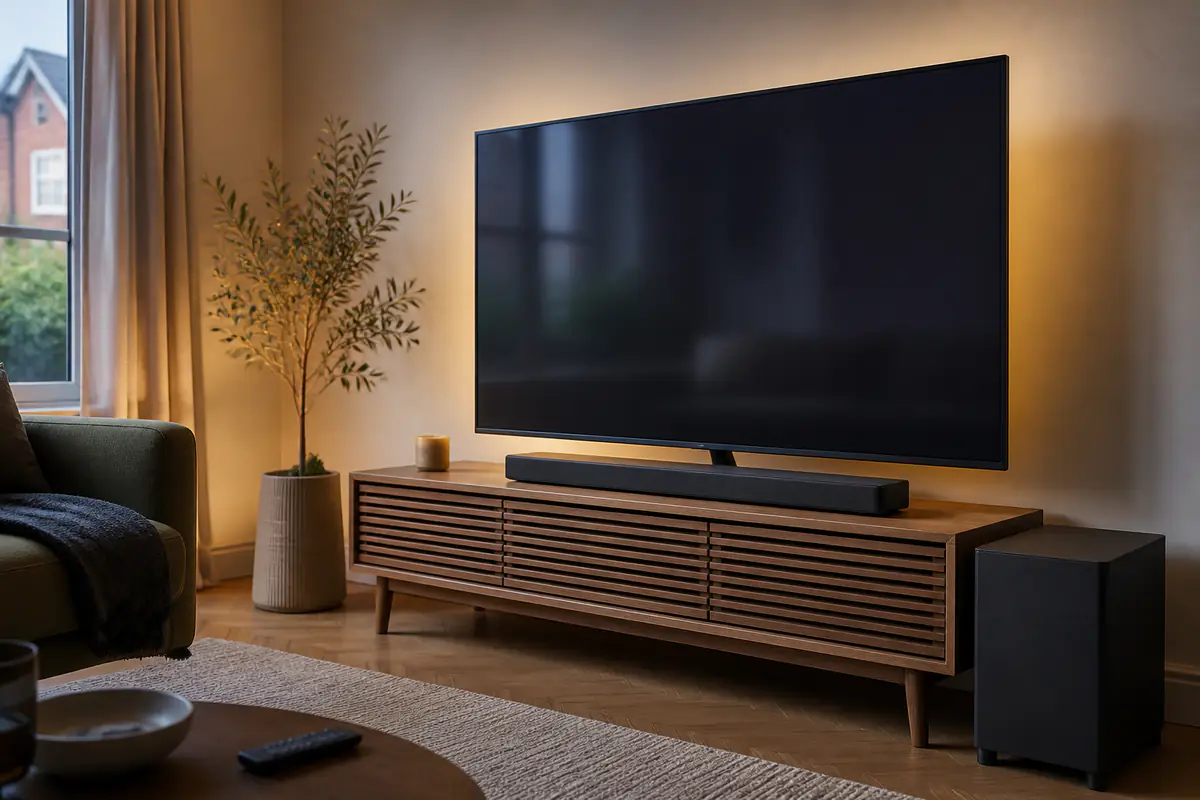
Record the distance between TV feet, screen bottom, remote sensor, furniture edge and wall. Check whether upward-firing or side-firing drivers require clear surfaces.
A bar that fits the quoted TV size can still block the picture or project beyond a narrow stand. Leave space for cable bends and ventilation rather than using external width alone.
Confirm HDMI ARC and eARC behaviour
ARC and eARC carry audio from the TV, but supported formats, control and lip-sync behaviour depend on both devices. Check the exact TV model, firmware, port label and sound output menu.
eARC can support higher-bandwidth formats; it is not automatically better dialogue. Save the planned connection and required cable specification.
Map every source before judging passthrough
List console, disc player, streaming box and aerial source. Decide whether each connects to the TV or soundbar and whether the system must pass HDR, refresh rate or gaming features.
Do not assume an HDMI input supports every video format because the connector fits. Official specifications for the exact model and firmware control the path. Use our soundbar and powered-speakers comparison to test whether a bar is the right format.
Treat channel numbers as processing descriptions
Physical drivers, room reflections and digital processing combine to create the advertised presentation. Virtual height and surround vary with ceiling, walls and seating.
Compare driver layout, supported formats and room requirements. A compact bar can improve clarity without producing convincing rear effects; that may still be the right purchase.
Prioritise dialogue controls that remain usable
Look for centre-channel level, dialogue enhancement, night mode and stable volume where available. Check whether controls exist on the remote, bar, TV or app and whether changes are visible without an account.
Extreme enhancement can thin music or alter ambience. Test several programmes and keep settings modest enough that voices remain natural.
Choose an integrated or separate subwoofer deliberately
An integrated design saves floor space and power sockets but has limited low-frequency output. A separate subwoofer can add extension and impact while creating placement, neighbour and wireless-link questions.
Measure the proposed location, keep ventilation clear and avoid treating a cupboard as acoustic storage. Wireless usually still needs mains power.
Consider rear speakers as a complete ownership system
Optional surrounds may require a specific generation, hub, power sockets or app. Check current availability and whether they can be bought later at a realistic price.
A promise of expandability is weak if compatible parts are already scarce. Include stands, cables and room disruption in total cost of ownership.
Review app, network and offline control
Check whether setup, room correction, updates or input selection require a phone, account or cloud service. Confirm basic volume, input and sound mode remain usable offline.
Read the support policy and save manuals. An app can improve usability while adding a dependency that may age before the speaker hardware.
Plan installation and wall mounting safely
Use the supplied or approved mounting method, locate services and confirm wall structure. Route mains and signal cables without pinching, heat or trip hazards.
Do not place the bar on a television or improvise brackets. If drilling or cable routing is uncertain, use a competent installer.
Plan for shared listening and accessibility
Ask who needs clear speech, low bass, headphones or a simpler remote. A dialogue mode that helps one listener may sound thin to another, while night mode can change both dynamics and bass. Confirm whether settings are remembered per input.
Keep the television speakers, subtitles and any hearing technology in the decision rather than treating the soundbar as the only solution. Test the ordinary viewing seat and volume, not only a loud demonstration.
Test during the return window with a fixed sequence
Keep packaging, note settings and test dialogue, quiet-night use, music, games, remote control, standby and reconnection. Compare at matched perceived volume rather than letting louder win.
Check several seats and listen for lip-sync, dropouts, rattles or excessive bass. Browse Tech & Audio for distinct setup questions.
Document settings so improvements remain repeatable
After setup, record the television output mode, HDMI port, lip-sync adjustment, soundbar mode, dialogue control, subwoofer level and source used for the successful result. A later firmware update or accidental reset is easier to diagnose when the working configuration is known.
Avoid changing several controls at once. If speech becomes unclear, return to the recorded baseline and alter one setting with the same familiar scene. This also helps distinguish a source-mix problem from a connection or processing change, and prevents maximum dialogue or bass settings becoming the unexamined default.
Compact bar or expandable system?
Simplicity and dialogue improvement are the goal
The room is small, placement is constrained and an integrated design with direct controls solves TV speech and level without extra boxes.
Immersion and future rears are genuinely planned
The room supports subwoofer and rear placement, compatible parts are available and the buyer accepts apps, sockets, cost and setup complexity.
Balanced verdict
The best soundbar is the one that connects cleanly, fits physically and improves the defined listening problem at normal volume. Verify ARC/eARC, source routing, controls and placement before comparing virtual channel counts.
Keep packaging and run a fixed return-window test across dialogue, music, games and standby behaviour.
Official checks:
HDMI Licensing Administrator eARC information ↗
GOV.UK product safety alerts and recalls ↗
RNID technology information ↗
Frequently asked questions
Do I need HDMI eARC for a soundbar?
Not always — It depends on required formats and TV behaviour. Confirm both exact models and source routing.
Will a soundbar always improve dialogue?
It can, especially with a centre or dialogue mode, but source mix, room echo, settings and hearing also matter.
Does a wireless subwoofer need power?
Yes, in most systems it still needs a mains socket even though audio travels wirelessly.
Should a soundbar match TV width?
It must fit the stand and avoid blocking screen or sensors; visual width matching is secondary.
Are rear speakers worth it?
Only when the room supports placement and the compatible parts, sockets, app and total cost are acceptable.
Methodology and limitations
We assessed soundbars through problem definition, dimensions, ARC/eARC, source routing, channels, dialogue, bass, surrounds, apps, installation and return testing. We did not bench-test or rank named models.
Limitations
TVs, firmware, rooms, hearing and source formats vary. Verify exact official compatibility and use competent installation for uncertain mounting or electrical work.