Noise-cancelling headphones ownership guide: ear-pad replacement, batteries and travel
Seal, hygiene, charging, firmware and storage affect headphone life. Maintain ear pads, protect the battery from heat and check current travel rules.
In this guide
Protect the seal and battery before chasing upgrades
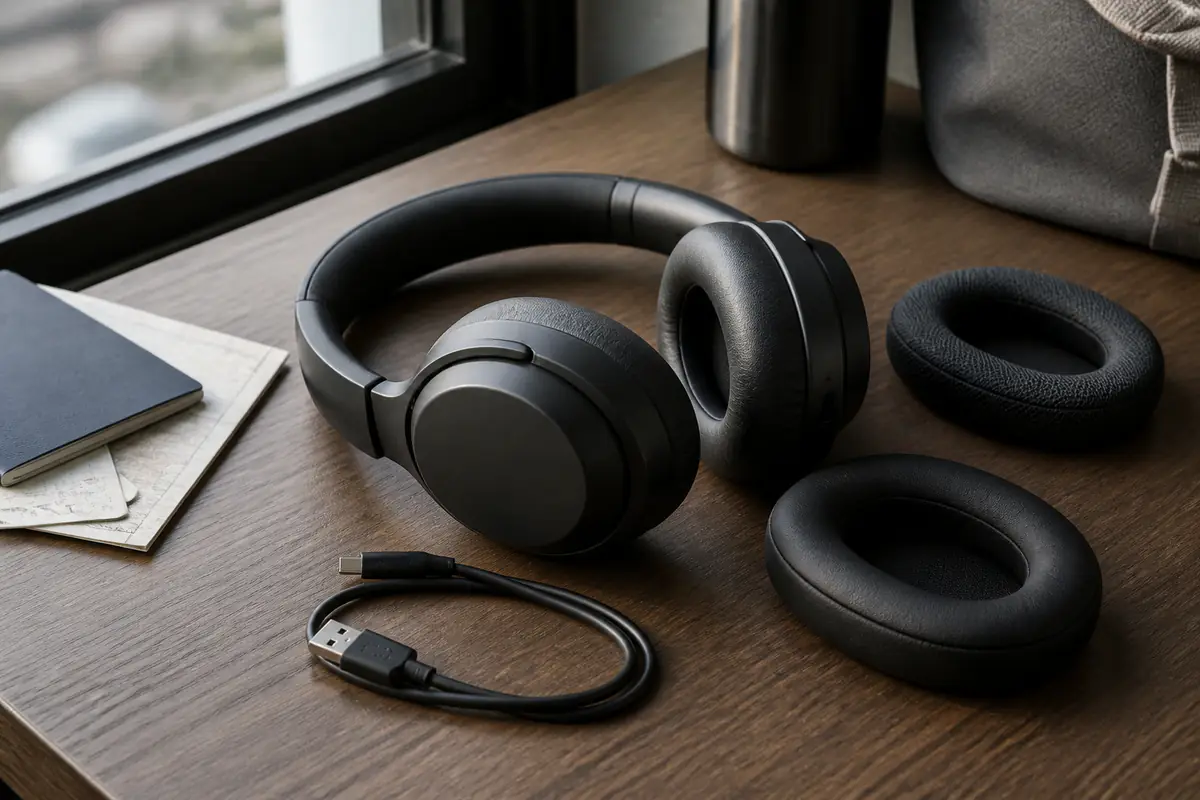
Worn pads can reduce comfort, bass and cancellation long before the electronics fail. Clean lightly, dry fully, charge with compatible equipment and keep a replacement-parts record while the model is still supported.
Start with our noise-cancelling buying guide, compare long-term value in the ANC value guide, and decode claims with headphone specifications explained.
| Area | Routine | Evidence of wear | Decision |
|---|---|---|---|
| Ear pads | Dry after use; clean as instructed | Flaking, compression, odour, seal loss | Replace matched pads before replacing headphones |
| Battery | Avoid heat; use compatible charging | Shorter run time, swelling, erratic percentage | Service if supported; stop use if damaged |
| Software | Record firmware and settings | New dropouts or control changes after update | Reset carefully and document before support |
| Travel | Use case; check carrier battery rules | Crushed hinges, loose items, wet pads | Carry safely and isolate damaged battery devices |
Monthly headphone maintenance record
- Photograph pad, headband, hinge and port condition.
- Brush dry debris before any controlled wiping.
- Let moisture evaporate before closing the case.
- Check cable, plug and charging port without probing.
- Record approximate battery hours under similar settings.
- Review firmware notes before installing an update.
- Confirm replacement pad and battery support.
- Back up travel rules and serial details before a trip.
Ear-pad seal is an acoustic component
Active cancellation works with passive isolation. Compressed foam, split covering, glasses gaps and hair can change low-frequency seal and perceived balance. Compare left and right fit in the same quiet setting before assuming microphones or software have failed.
The wireless-earbuds ownership guide uses the same principle at a smaller scale: fit changes the result. Do not force a tighter headband to compensate for pads that are visibly spent.
Clean surfaces without driving moisture inward
Power off and unplug. Remove dry debris with a soft tool, then follow the maker’s instructions for pad, headband and hard surfaces. Apply any permitted moisture to a cloth, not directly to mesh, microphones, buttons, ports or seams.
Sweat needs time to evaporate before the headphones enter a closed case. Strong alcohol, fragrance, oils and household cleaners can harden foam, lift coatings or weaken adhesives. Detachable pads are not automatically washable.
Replace pads as matched parts, not decoration
Record model and revision because attachment rings, depth, foam density and acoustic cloth can differ. Third-party pads may improve comfort yet alter seal, driver distance, bass and cancellation. Treat that as a system change, not a guaranteed upgrade.
Photograph clip orientation before removal and use the supported method. Compare both sides under the same track and ANC setting. Keep the original pair briefly in case the replacement introduces imbalance or touch-sensor interference.
Battery ageing should be measured consistently
Estimate runtime from a full charge under similar volume, codec, ANC and call use. A travel day with strong cancellation and multipoint is not comparable with quiet wired playback. Log several cycles before concluding that capacity has collapsed.
Heat is a major avoidable stress. Do not leave headphones charging in a hot car, on a radiator or under bedding. A swollen housing, chemical smell, unusual heat or physical distortion requires immediate disconnection and safe manufacturer guidance.
Use a compatible charging chain
Check the manual for port, cable and power expectations. Inspect the connector and remove loose debris without metal tools or liquid. A cable that charges another device does not prove the headphone port or battery is healthy.
Our USB-C charger ownership guide covers cable strain and heat checks, while the power-bank guide helps plan travel charging. Avoid unattended charging where damage is suspected.
Firmware needs a before-and-after record
Save current version, paired devices, ANC mode, equaliser and any accessibility settings before an update or reset. Read release notes and ensure sufficient battery. After updating, test one variable at a time rather than changing codecs, multipoint and EQ together.
If dropouts begin, document device, location, application and whether they affect one source. Our Bluetooth codec guide separates connection choices from exaggerated quality claims.
Hinges and headbands fail through repeated loading
Put headphones on by spreading both cups with controlled pressure rather than pulling one side. Do not rotate past the designed stop. Inspect hinge pins, sliders and cable exposure; new clicking, asymmetry or stress whitening deserves early attention.
A hard case protects only when the cups are folded in the intended orientation and no plug, adapter or charging brick presses on them. Keep small accessories in their compartment instead of against pads or drivers.
Travel mode is a workflow, not only a feature
Before departure, download media, charge, pack a compatible cable and test wired operation if the model supports it. Save the pairing and reset method offline. Cabin adapters and seat sockets vary, so do not make one proprietary accessory the only route.
Check current airline and airport rules for installed lithium batteries, spare cells and damaged devices. Keep power controls accessible and never travel with a swollen or recalled battery product. The open-ear ownership guide is a distinct option where awareness outweighs maximum isolation.
Hearing safety still applies with cancellation
ANC may allow lower listening levels in steady noise, but it does not make unlimited duration safe. Start low, use device exposure tools where available and take quiet breaks. Ringing, pain or muffled hearing is a reason to stop and seek appropriate advice.
Do not increase volume to defeat announcements or nearby conversation. In traffic, stations and unfamiliar environments, use awareness modes carefully and follow local safety requirements; electronics cannot guarantee that every warning reaches you.
Repairability should influence the next purchase
While the product works, check official availability and price of pads, cables, cases and battery service. Save part numbers and support pages. A sealed battery with no service path can set the practical life even when drivers and structure remain sound.
Review replacement timing with our product-lifespan guide and category archive, but do not replace a working unit solely for a new codec or marginal ANC claim. Condition, parts and real use determine value.
Include microphones and controls in the ownership check. A blocked voice-microphone opening, damaged boom, failing button or unreliable wear sensor can make otherwise sound headphones unsuitable for work and travel. Clean only as the maker directs, compare a short recording in the same room and document whether the problem follows one source device before requesting repair.
Create a travel-ready failure plan
Keep the serial number, support route, reset sequence and current airline guidance offline. Pack one known compatible cable and, where supported, a passive wired route. Do not carry several untested adapters that add pressure inside the case or require troubleshooting in a crowded cabin.
If sound, charging or hinges fail during travel, stop before repeated resets erase useful evidence. Photograph condition, note battery percentage, source device and exact symptom, then isolate any device that is hot, swollen or damaged. A planned fallback protects the trip without turning a battery warning into an improvised repair.
Maintain or replace?
Wear parts and settings explain the decline
Matched pads restore seal, the battery remains safe and adequate, hinges are sound, and supported resets or firmware resolve connection problems.
Battery or structure compromises safe use
There is swelling, heat, cracked load-bearing hardware, exposed conductors, unsupported battery failure or repeated faults after documented checks.
Balanced verdict
The best ownership return comes from keeping pads, battery, mechanics and software in the same evidence record. Replace wear parts before judging ANC, protect the battery from heat and pressure, and travel only with a sound device that meets current carrier rules.
Browse Tech & Audio for distinct buying and ownership questions without treating specifications as durability proof.
Official checks:
NHS hearing protection guidance ↗
UK Civil Aviation Authority baggage guidance ↗
GOV.UK product safety alerts and recalls ↗
Frequently asked questions
Do worn ear pads affect noise cancellation?
Yes — Compression, splits and gaps can reduce passive seal and change bass and ANC performance.
Can third-party pads change the sound?
Yes — Depth, foam, covering and acoustic cloth can alter fit, driver distance, frequency balance and cancellation.
Should headphones be stored while damp?
No — Power off, clean as instructed and let moisture evaporate before closing the case.
How can battery decline be measured?
Compare several full-charge runtimes under similar volume, ANC, codec, call and multipoint conditions.
Can headphones with a swollen battery be taken on a flight?
Do not use or travel with a swollen or damaged battery device. Isolate it safely and follow manufacturer and carrier guidance.
Methodology and limitations
We assessed noise-cancelling headphone ownership through pad seal, cleaning, replacement parts, battery ageing, charging, firmware, mechanics, cases, travel, hearing safety and repairability. We did not conduct laboratory acoustic or battery tests on named products.
Limitations
Designs, batteries, parts, firmware and airline rules vary and change. Runtime depends on settings and environment. Follow the exact manufacturer and carrier guidance, especially for damaged lithium batteries.