Bluetooth speakers ownership guide: charging, battery care and outdoor storage
A portable speaker is a battery, acoustic enclosure and weather-exposed object. Protect ports and seals, charge compatibly, dry it before storage and treat an IP rating as a test condition rather than permission for careless use.
In this guide
Keep moisture away from open ports and trapped storage
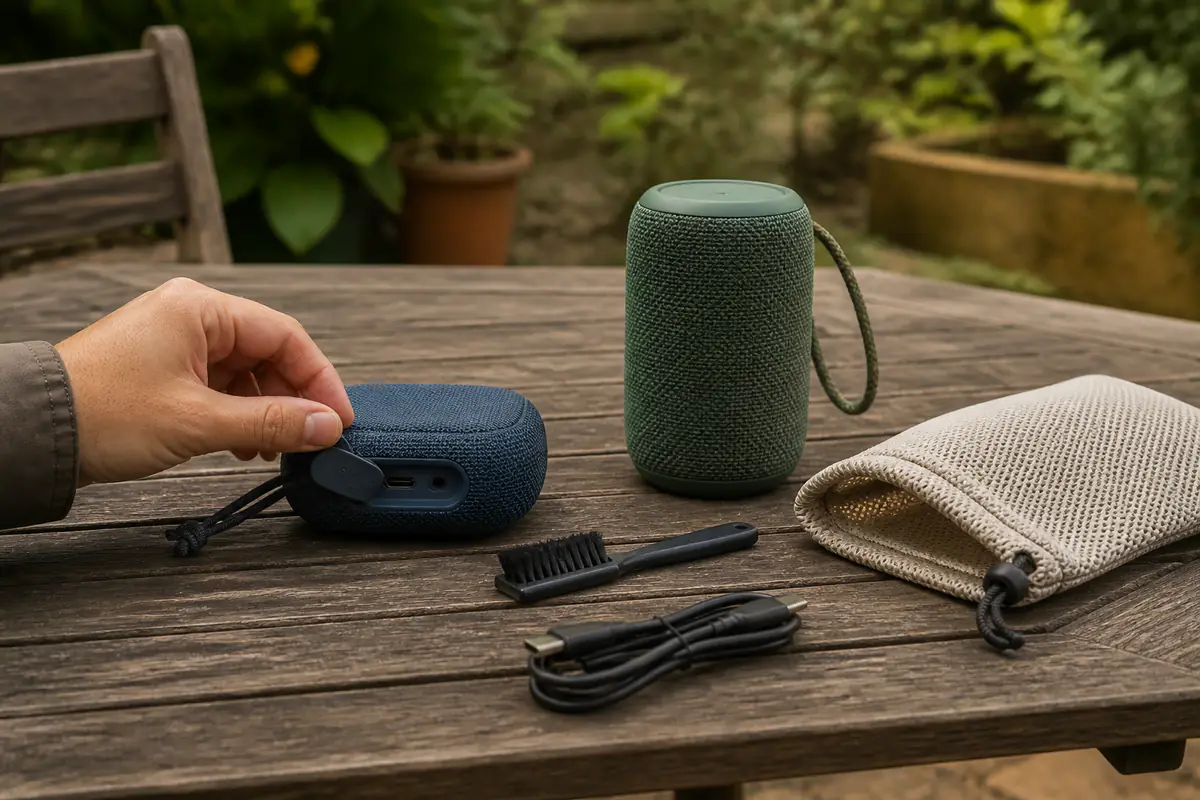
Power off, clean gently and dry fully before charging or closing a speaker inside a case. Battery heat, damaged seals and debris around passive radiators can shorten useful life even when the speaker still connects.
Decode wireless claims with Bluetooth codecs explained, assess endurance through battery-life claims, and read exposure limits with IP ratings explained.
| Area | Routine | Warning | Response |
|---|---|---|---|
| Charging | Compatible cable and dry clean port | Heat, intermittent charge, swelling | Disconnect and seek support |
| Water exposure | Close covers; rinse only if instructed | Moisture in port, seal damage, distorted sound | Power off and dry as directed |
| Battery | Avoid hot storage and deep neglect | Rapid decline or erratic percentage | Log cycles and assess service |
| Outdoor storage | Clean, dry and use ventilated protection | Odour, corrosion, damp fabric | Do not charge or seal while wet |
Monthly portable-speaker record
- Inspect casing, grille, feet, loops and port covers.
- Brush dry debris without pushing it inward.
- Check the charging cable and connector for strain.
- Record approximate runtime at similar volume.
- Test buttons, pairing and firmware version.
- Listen for rattles at moderate level.
- Review current recall and battery support information.
- Store dry, cool and without pressure on radiators.
Charge only when the speaker and port are dry
Water resistance does not make wet charging safe. After outdoor or bathroom use, power off, open or close covers only as directed and allow the port and surrounding seams to dry fully. Do not use heat, compressed air or objects inside the connector.
Use the maker-supported charging voltage, cable and adapter. A damaged cable can create heat or intermittent charging that looks like battery failure. Record which combination was used.
Measure battery decline under comparable conditions
Volume, bass boost, lighting, codec, temperature and device charging features affect runtime. Compare several cycles at a similar level and source rather than one loud outdoor day with a quiet indoor estimate.
Avoid hot cars, direct summer sun and prolonged storage empty. A swollen casing, chemical smell, unusual heat or distortion requires immediate disconnection and safe manufacturer guidance.
Read the IP code with all conditions attached
An IP rating covers specified laboratory exposure on a new correctly closed product. It may exclude salt water, pool chemicals, high-pressure jets, drops, ageing seals and open ports. Read the exact manual.
Our IP guide explains the two digits. Do not deliberately repeat immersion to prove the claim, and inspect port covers and seams after impacts.
Clean grilles and radiators without puncturing them
Remove loose dry soil with a soft brush or permitted cloth. Apply moisture to the cloth only where the maker permits it. Do not probe grille holes or press flexible passive radiators.
Sand, salt and mud can abrade seals. Follow any approved fresh-water rinse after exposure, then dry completely. Distorted bass or buzzing may come from debris or physical damage.
Use outdoor placement to reduce strain
Place the speaker on a stable surface away from standing water, hot cooking equipment and table edges. Elevating it slightly can improve coverage and reduce the urge to run maximum volume.
Do not suspend it from an untested loop or block radiators against a soft bag. Wind and open space change perceived bass and loudness; extra volume is not free battery life.
Pairing problems need a controlled reset
Record firmware, source device, Bluetooth version, paired list and whether the problem occurs with another local source. Remove one variable at a time. A factory reset may erase useful settings and should follow the manual.
Interference, multipoint and application behaviour can mimic speaker failure. Use sound quality versus signature to keep connection faults separate from tonal preference.
Stereo pairs and groups require matched expectations
Two speakers may need the same model, firmware, application and mode. Grouping can add latency or disable codecs and microphones. Test with local music before relying on it for video or events.
Save the pairing sequence offline. A discontinued application or account requirement can limit future grouping even when each speaker still works alone.
Travel storage should prevent pressure and damp
Dry the speaker, coil the cable loosely and use a ventilated protective case that does not press buttons, radiators or port covers. Keep sharp accessories in a separate compartment.
Check airline rules for installed lithium batteries and never travel with a swollen or recalled device. A cold speaker brought indoors may develop condensation; let it acclimatise before charging.
Repairability belongs in the ownership decision
Check official availability of cables, covers, loops, batteries and service while the model is supported. Adhesive sealing can make battery replacement specialised. Opening the enclosure may destroy water resistance.
Use product-lifespan guidance and total ownership cost before replacing a working unit for a minor codec or app feature.
Store for the next season, not indefinitely
Clean, dry and charge to the maker’s storage guidance, then keep the speaker cool and inspect it periodically. Do not leave it sealed in a damp picnic bag or on continuous charge without support.
Browse Tech & Audio for distinct audio questions. Keep the serial, purchase record and recycling route with the speaker.
Control listening level and placement around other people
Portable speakers can produce high levels at short distance even when they sound modest outdoors. Keep the enclosure away from ears, cots, pets and shared boundaries, and use device or application limits where available. Lowering the speaker from maximum output can reduce distortion, heat and battery drain while improving conversation and situational awareness.
Public spaces, campsites and accommodation may have local noise rules. Check current conditions rather than treating portability as permission. A stable central position often gives more even coverage than placing the speaker beside one listener and raising the volume for everyone else.
Record firmware changes and preserve offline operation
Before an update, note the current version, charging state, paired devices and any grouping that works. Use the supported application and do not interrupt power unless instructed. Afterward, test local playback, buttons, charging and pairing before changing additional settings, so a regression can be described clearly.
Confirm whether core playback still works without an account, cloud service or active internet connection. Save the manual and reset steps offline while support remains available. A speaker that depends on a discontinued application may retain basic Bluetooth use, but that should be verified rather than assumed.
Inspect cables and chargers as separate wear items
A frayed cable, loose connector or contaminated adapter can create intermittent charging that resembles a battery problem. Examine components unplugged in good light and retire damaged accessories. Use only supported power specifications and avoid adapters that become unusually hot, smell or buzz.
Label shared cables by specification rather than by colour alone. If another supported cable resolves the fault, replace the cable without repeatedly flexing the speaker port. If the port itself moves, shows corrosion or requires pressure to charge, stop and seek service; continued leverage can damage the internal board.
Maintain or replace?
Cleaning, drying or controlled settings solve the issue
The enclosure and battery are sound, the port charges safely, runtime remains useful and supported firmware or pairing checks restore operation.
Battery, seal or structure is compromised
There is swelling, heat, smell, corrosion, cracked casing, damaged port cover, exposed conductors or persistent distortion after safe cleaning.
Balanced verdict
Portable-speaker life depends on dry charging, cool battery storage and intact enclosure details. Treat water ratings as bounded evidence, measure runtime consistently and avoid opening a sealed product without a supported repair path.
Keep outdoor convenience proportional: stable placement and moderate volume protect both the speaker and the people around it.
Official checks:
GOV.UK product safety alerts and recalls ↗
UK Civil Aviation Authority baggage guidance ↗
Recycle Your Electricals ↗
Frequently asked questions
Can a wet Bluetooth speaker be charged?
No — Power it off and let the port and speaker dry fully according to the manual before charging.
Does an IP67 speaker stay waterproof forever?
No — Ratings have test conditions and seals can be damaged or age. Read exclusions and inspect after impacts.
Why is battery life shorter outdoors?
Higher volume, temperature, bass boost, lighting and wireless conditions can increase consumption.
Can sand be blown out with compressed air?
Do not use methods the maker does not approve; pressure can drive debris inward or damage seals and radiators.
Should a speaker stay plugged in all winter?
Follow the maker’s storage and charging guidance. Continuous heat or unsupported charging may not be appropriate.
Methodology and limitations
We assessed Bluetooth-speaker ownership through charging, battery measurement, IP conditions, cleaning, outdoor placement, pairing, grouping, travel, repairability and seasonal storage. We did not immersion-test or battery-cycle named products.
Limitations
Designs, seals, batteries, firmware and travel rules vary. Follow the exact manual and current carrier guidance, especially after water exposure or battery damage.