4K televisions buying guide: panel type, brightness, HDMI ports and viewing distance
A 4K television is a screen, connection hub, software platform and long-term power user. Match size and panel behaviour to the room before comparing picture modes.
In this guide
Choose for the room and sources before demo brightness
Measure viewing distance, furniture and glare, then map every HDMI source and required format. Resolution alone does not guarantee good motion, contrast, HDR or viewing angles. A bright shop loop can hide reflection, processing and low-light weaknesses.
Decode baseline terms with screen specifications explained, plan audio through the soundbar guide, and protect longevity with future-proof tech.
| Room or use | Prioritise | Verify | Avoid |
|---|---|---|---|
| Bright family room | Reflection control and usable brightness | Window angle and sustained modes | Shop-floor vivid mode |
| Dark film viewing | Black level and controlled local contrast | Blooming and shadow detail | Headline peak alone |
| Wide seating | Off-axis colour and contrast | Side-seat demonstration | Centred review only |
| Gaming hub | Required HDMI features and latency | Ports, formats and source chain | Assuming every HDMI port is equal |
Television pre-purchase record
- Measure distance, stand and access route.
- Map windows, lamps and side seats.
- List every source and required format.
- Count suitable HDMI ports, not just sockets.
- Check stand width, depth and cable exit.
- Review software and offline controls.
- Read the energy label and dimensions.
- Confirm return and dead-pixel policy.
Start with viewing distance and content mix
Measure the normal eye-to-screen distance and list films, broadcast television, sport, games and desktop use. Larger screens make 4K detail easier to see but also reveal poor sources and motion processing.
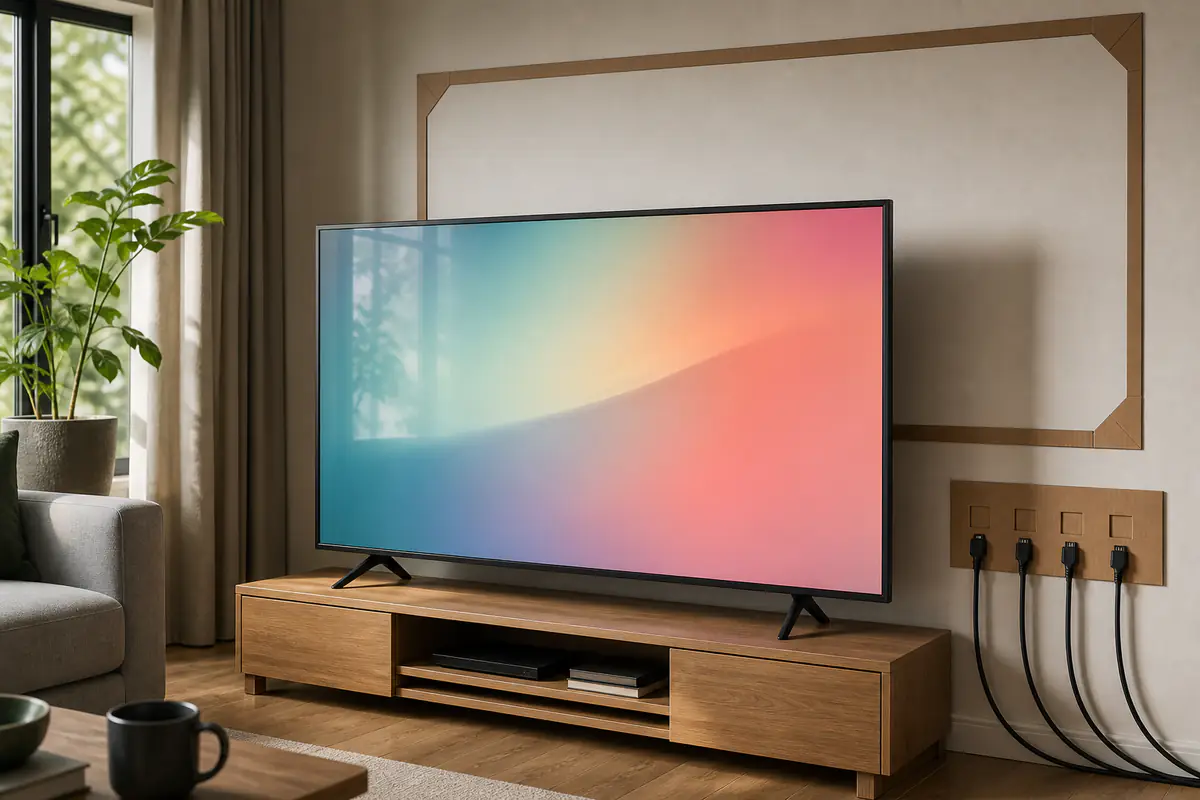
Use a cardboard outline or tape on the furniture. Include subtitles, side seats and comfortable eye movement rather than treating the largest panel that fits the wall as automatically better.
Measure furniture and packaged access
Record screen width, height, stand footprint, feet positions, ventilation and cable exit. Check doorway, stairs, lift, turns and safe unpacking space using packaged dimensions and weight.
Wall mounting requires wall construction, bracket compatibility and cable planning. Use competent installation where load, hidden services or access are uncertain.
Understand panel behaviour instead of labels alone
LCD families differ in viewing angle, native contrast, uniformity and local-dimming implementation; self-emissive displays control pixels differently and have their own brightness and static-content considerations.
Manufacturer marketing names can mix panel, backlight and processing. Verify the exact model and size because the same series may change panel or features across diagonals.
Match brightness and reflection control to the room
Usable daylight viewing depends on sustained brightness, screen finish, window position and content, not one peak figure. A glossy screen may preserve contrast while reflecting a bright window.
Test dark and bright scenes from the intended seat if possible. Curtains and lamp placement can improve the room more reliably than selecting the most aggressive showroom mode.
Read HDR as a complete playback chain
High dynamic range needs supported formats, suitable panel behaviour, tone mapping and correctly mastered content. A television can accept an HDR signal without reproducing strong contrast or highlight detail.
Check source, cable, input setting and picture mode. Do not equate the number of HDR logos with picture quality for every programme.
Compare motion with familiar real content
Sport, camera pans, film cadence and game motion expose different problems. Frame interpolation can smooth movement while creating artefacts or changing film appearance.
Use a repeatable scene and inspect judder, blur, duplication and haloing. Confirm controls can be reduced or disabled per input rather than accepting one preset.
Count HDMI capability by port
List console, soundbar, streaming box, disc player and PC, then map required resolution, refresh rate, variable refresh, audio return and bandwidth to specific ports.
A television can have several HDMI sockets with only some supporting advanced features. Include the soundbar’s ARC or eARC port in the map so it does not consume the only suitable gaming input unexpectedly.
Gaming needs latency and signal compatibility
Check game mode, input lag at intended resolution, variable refresh range, high-frame-rate support and whether local dimming or picture quality changes in low-latency mode.
Console capability is not proof of display support. Verify the exact model, firmware and port, and test the complete chain with the intended receiver or soundbar.
Plan dialogue and audio separately
Thin cabinets can limit bass and speech clarity. Decide whether built-in sound is sufficient at normal volume or whether a soundbar, powered speakers or hearing support is part of the real budget.
Measure clearance so an external bar does not block the screen or remote sensor. Confirm audio return and volume control before assuming one-cable operation.
Review software, accounts and offline controls
Check app availability, update policy, advertising, privacy controls, tuner, recording, accessibility and what works without an account or internet connection. Streaming services change independently of the panel.
Ensure essential input, volume, channel and picture controls remain accessible with the remote or physical controls. A good panel should not become frustrating because one app or account changes.
Read energy and standby information
Compare the official energy label and stated consumption for relevant modes and size. Brighter HDR, high refresh and processing can use more energy than a standard comparison condition.
Use appliance running costs to estimate realistic use. Disable unnecessary quick-start or network standby only when it does not break required functions.
Budget for the complete ownership chain
Add the stand or bracket, suitable cables, audio, delivery, installation, recycling and any furniture change to the screen price. A cheaper panel can become the more expensive system when it needs a new soundbar, longer certified cable or professional mounting that a matched alternative avoids.
Also record which functions depend on accounts, cloud services or paid subscriptions. The television should still provide acceptable input switching, broadcast access and core controls if an app changes. Separate one-off hardware cost from recurring services so the comparison remains useful beyond the promotional checkout total.
Run a structured return-window test
Keep the packaging and test dead or stuck pixels, uniformity, reflections, side seats, motion, subtitles, every HDMI source, Wi-Fi, broadcast reception, audio return, remote and standby.
Use normal picture modes before judging. Record settings and firmware, compare retailer support with our John Lewis electricals review, and browse Tech & Audio for ownership guidance. Stop use for damage, overheating, smell or electrical concern.
Prioritise cinema contrast or bright-room flexibility?
Controlled light and centred viewing dominate
Black level, local contrast, film cadence and accurate low-light detail matter more than maximum daylight punch.
Windows and varied seats dominate
Reflection control, usable sustained brightness and wide viewing behaviour matter more than a dramatic dark-room demo.
Balanced verdict
A good 4K television fits the room, sources and control needs before it wins on panel marketing. Map distance, glare and HDMI ports, then test motion, HDR, audio and software with familiar material.
Keep packaging until the full route test passes and record working settings for later updates or resets.
Official checks:
UK Government television energy label information ↗
GOV.UK product safety alerts and recalls ↗
HDMI Licensing Administrator eARC information ↗
Frequently asked questions
How far should I sit from a 4K television?
It depends on screen size, eyesight, content and comfort. Mock the screen at the measured viewing position rather than using one universal ratio.
Is OLED always better than LCD?
No — Panel behaviour, brightness, room light, viewing angle, static-content use, size and price determine the better fit.
Before buying a 4K TV, how should each HDMI input’s supported features be checked?
Not necessarily — Map resolution, refresh, VRR and ARC or eARC support by port for the exact model.
Does HDR support guarantee good HDR?
No — Signal acceptance, panel contrast, brightness, tone mapping and content all matter.
Should a TV be professionally mounted?
Use a competent installer when wall construction, hidden services, load, bracket choice or access is uncertain.
Methodology and limitations
We assessed 4K televisions through room, distance, access, panel behaviour, brightness, HDR, motion, HDMI, gaming, sound, software, energy and return testing. We did not measure or rank named models.
Limitations
Models, panel suppliers, firmware, rooms, sources and users vary. Verify exact official specifications and obtain competent installation or electrical help where needed.