Mesh Wi-Fi systems buying guide: node count, wired backhaul, bands and subscriptions
A three-node box is not automatically better than two well-placed nodes. Map the home, design the backhaul, check ports and update support, and separate core functions from subscriptions.
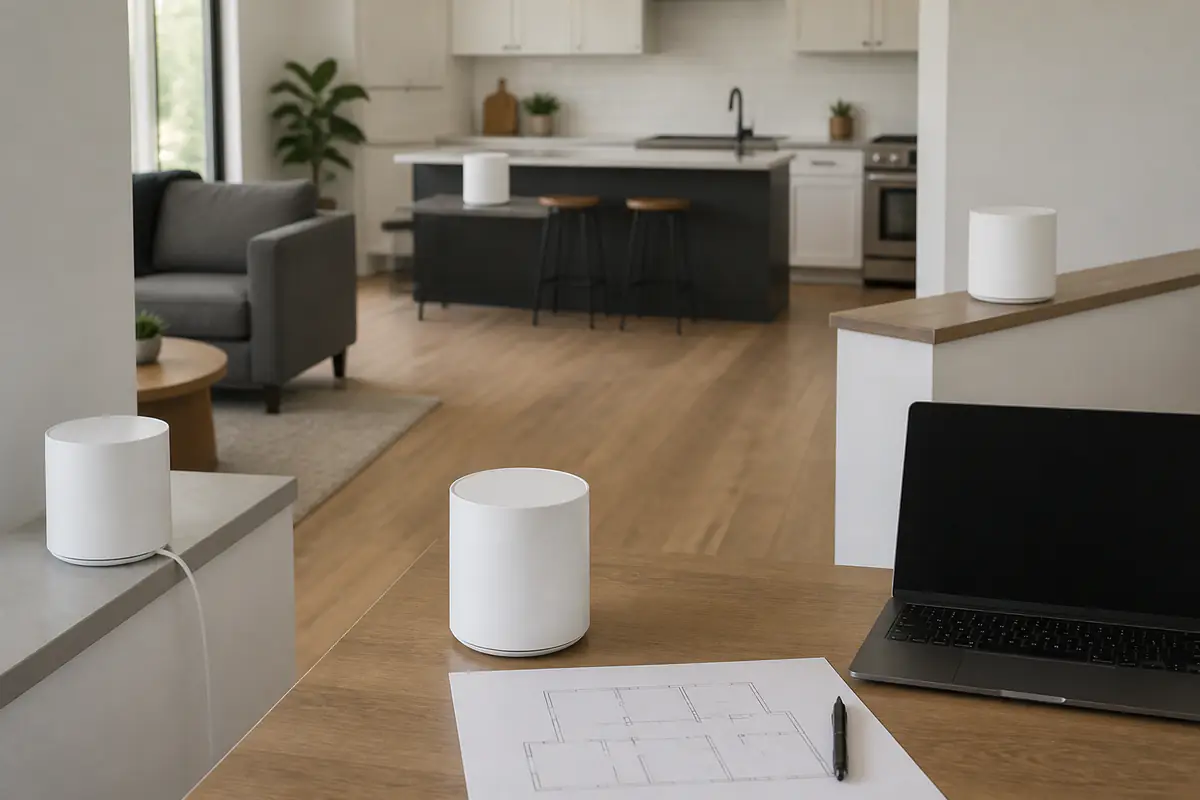
In this guide
Design the backhaul and placement before counting nodes
Start with the broadband entry point, construction obstacles and wired routes; then choose the fewest nodes that can form strong links while serving the rooms, devices and Ethernet equipment that matter. Compare the alternative in our mesh Wi-Fi versus extender guide, then use the future-proof tech framework to avoid paying for unused specifications.
Mesh is a coordinated Wi-Fi system with a main router or gateway and one or more satellites, but the user experience still depends on placement, radio conditions, client capability and the path between nodes. This guide does not promise coverage from floor area alone.
| Decision | Evidence needed | Useful when | Common mistake |
|---|---|---|---|
| Node count | Scaled plan and obstacles | Each node has a strong upstream path | Buying the largest pack first |
| Backhaul | Ethernet routes or radio design | Traffic can return without a weak hop | Hiding nodes in dead zones |
| Bands | Client mix and dedicated/shared use | Capacity matches real devices | Treating band count as speed |
| Subscription | Included versus paid functions | Optional service has clear value | Confusing expiry with core operation |
Map the network before choosing a kit
- Broadband entry point, modem or optical terminal location.
- Wall, floor, stair, metal, mirror and utility obstacles.
- Rooms needing reliable video calls, streaming or gaming.
- Existing Ethernet sockets and feasible cable routes.
- Devices requiring wired ports near a satellite.
- Current client Wi-Fi generations and realistic future additions.
- Core features that must remain without a subscription.
- Update policy, warranty, support and end-of-life information.
Separate the internet connection from the home network
Broadband speed enters at the modem or optical terminal; mesh distributes that connection around the property. A faster mesh cannot fix a weak service line, congestion outside the home or an incorrect provider fault, although it may improve local coverage and capacity.
Record the speed at the main router over Ethernet where practical and compare it with Wi-Fi at problem locations. This creates a baseline before replacing equipment and prevents a broadband issue being mislabelled as insufficient node count.
Draw the home as signal paths, not square metres
Floor-area claims are broad marketing estimates. Mark the main router, rooms, floors, thick masonry, foil-backed insulation, metal cabinets, mirrors and large appliances. Note where a node can stand in the open with power and, if relevant, Ethernet.
A satellite placed inside the dead zone has little useful connection to relay. Think of overlapping links: each wireless node needs a strong path back, while also reaching clients. Hallways, landings and open doorways may provide better paths than visually central cupboards.
Choose the fewest nodes that solve the mapped problem
Extra nodes can help a large or awkward home, but unnecessary overlap can add cost, cables and radio management. Begin with the pack justified by the map and confirm whether compatible nodes can be added individually later.
Do not assume a larger bundle permits arbitrary spacing. The system’s setup guidance and signal indicators should confirm a viable link. A small well-wired deployment can outperform a crowded wireless chain with poor placement.
Understand wireless backhaul before comparing bands
Backhaul is the path carrying traffic from a satellite towards the main router. In a wireless system, that traffic shares or uses allocated radio capacity. Distance, walls, interference and intermediate hops can reduce the capacity available to clients.
Some tri-band designs reserve or strongly favour a radio for inter-node traffic; others use bands dynamically. Read the exact model documentation because “tri-band” alone does not prove dedicated backhaul, and dedicated capacity does not rescue a badly located node.
Use wired backhaul where it is safe and practical
Ethernet backhaul connects compatible nodes by cable, reducing dependence on a long wireless inter-node path. Official model documentation should confirm supported topology, port roles and whether a switch can sit between devices.
Existing Ethernet can be valuable, but do not assume every socket, powerline adapter or switch provides the same result. Check link speed, cable condition and model support. Our network-switch buying guide covers port capacity and management choices.
Check whether access-point mode fits the existing router
A mesh kit may replace the provider router’s routing functions or operate behind it in access-point mode. The available controls, guest network, parental tools and port behaviour can change by mode.
Avoid two active routers creating unintended double network-address translation unless the design is understood. Confirm how provider phone service, TV boxes, authentication and bridge or modem mode work before removing supplied equipment.
Read radio bands as capacity tools, not labels of quality
Dual-band, tri-band and quad-band describe radios or band arrangements, but the useful result depends on channel width, spatial streams, regulatory availability, interference and the client’s own radio. A phone cannot use capabilities it does not support.
Map current devices by generation and importance. Our Wi-Fi 7 value guide helps decide whether newer radio features solve a real client or backhaul need rather than merely raising the specification.
Do not rely on a new high-frequency band for every room
Higher-frequency spectrum can add clean capacity for compatible devices, but propagation through walls and floors can be less forgiving. Its benefit depends on local regulation, device support and node placement.
A system should still be assessed for the legacy and smart-home clients actually present. Check whether band steering, separate network names or an Internet-of-Things network is supported in the chosen operating mode.
Count Ethernet ports at every useful location
A satellite beside a television, desktop or console can provide wired client connections, but port number and speed vary. Distinguish a port reserved for internet input from usable local ports and confirm whether automatic sensing changes the role.
If a switch is required, include its power, placement and cable run. Do not assume a multi-gigabit port delivers that rate end to end when the broadband, switch, cable or client is slower.
Check roaming claims against client behaviour
Mesh nodes coordinate network information and can support roaming assistance, but the client ultimately makes important connection decisions. A device may cling to a distant node, especially if its software or roaming behaviour is limited.
Look for practical controls such as node preference, client steering visibility and a clear topology view, while accepting that no setting guarantees seamless movement for every device. Test critical calls around the home during the return period without manufacturing unrealistic stress.
Separate core controls from paid services
List what works indefinitely without payment: setup, updates, local routing, guest access, device pause, security settings and usage visibility. Then list optional trials or subscriptions for enhanced security, parental filtering, support, storage or remote features.
A subscription can be worthwhile, but its price and cancellation need to be explicit. Save the included period and post-trial terms. Do not treat a time-limited service as permanent product functionality in the value comparison.
Prioritise security updates and clear lifecycle support
The router is an exposed, long-lived appliance. Check whether the manufacturer states an update policy, publishes security information and provides a reliable route for vulnerability and end-of-support notices.
Automatic updates reduce forgotten maintenance but still require change awareness and a recovery plan. Record model, firmware and admin ownership. Our home network storage ownership guide uses the same principle: supported software is part of hardware value.
Plan account ownership and recovery before setup
Some systems require a cloud account or mobile app. Decide which household member owns it, use a unique password and available multi-factor protection, and record recovery details without sharing the primary email casually.
Check whether local administration remains available during an internet outage and what data the app collects. A convenient remote dashboard should not leave the household unable to manage its network when an account is lost.
Check privacy, guest access and household boundaries
Read the privacy notice for telemetry, threat filtering and remote management. Create a guest network for visitors and consider a separate supported route for less-trusted smart devices where the system allows it.
Do not expose an administrator password as a convenient household Wi-Fi password. Keep network access, administration and optional security-service accounts distinct, and review old clients periodically.
Stage installation so faults remain diagnosable
Update and configure the main unit first, then add one node at a time in the planned location. Record topology, link quality and wired or wireless state. Test critical rooms after each addition before changing another variable.
This sequence shows whether a node helps, harms or merely duplicates coverage. If performance falls, check backhaul and client association before adding more hardware. Preserve the previous router configuration until the new system is stable.
Compare total cost beyond the launch price
Include node count, additional satellites, switches, Ethernet installation, power use, subscription renewals and the likely supported life. A discounted large pack can cost more if most nodes remain unused or a required feature expires.
Use our total-cost framework and record the specific version because similarly named mesh families can have different radios, ports and compatibility.
Keep the return and reset route intact
Before the deadline, confirm coverage, backhaul, important clients, wired ports and core features. Keep serials, accessories and packaging, and learn the documented factory-reset process before returning or transferring the kit.
Save listing, subscription terms and test notes using our purchase-evidence guide. A system that cannot meet a clearly documented home requirement should not be kept merely because setup took time.
Use wireless or wired backhaul?
Nodes can see strong radio paths
The home lacks safe Ethernet routes, placement can maintain good inter-node links and the resulting capacity meets critical rooms.
Cable routes already reach useful positions
The exact model supports Ethernet backhaul and tested cabling can give each node a reliable upstream connection.
Balanced verdict
Choose a mesh system by topology, not by the biggest node count or newest badge. Map the home, design the backhaul, check every port and operating mode, and price subscriptions and support over the life of the network.
Use the linked mesh comparison, switch, Wi-Fi 7, future-proofing, ownership, evidence and total-cost guides.
Official checks:
NETGEAR explanation of mesh Wi-Fi ↗
NETGEAR Ethernet backhaul guidance ↗
NCSC guidance for managing connected devices ↗
Frequently asked questions
How many mesh nodes does a UK home need?
There is no reliable answer from floor area alone. Map construction, placement, backhaul and critical rooms, then use the fewest nodes that form strong links.
Is wired backhaul always faster?
It can remove a weak wireless inter-node path, but results still depend on model support, port speed, cables, switches and clients.
Does tri-band mean there is a dedicated backhaul band?
Not necessarily — Read the exact model documentation; manufacturers may allocate or share radios differently.
Will mesh guarantee seamless roaming?
No — The system can assist, but client hardware and software still influence when a device changes node.
Do I need a security subscription?
Not automatically — Separate core router security and updates from optional paid filtering or support, then value the service and renewal clearly.
Methodology and limitations
We separated mesh topology and purchasing from the existing mesh-versus-extender comparison, Wi-Fi 7 value guide and ownership material. We assessed premises mapping, node count, wireless and Ethernet backhaul, bands, ports, operating modes, subscriptions, security and returns. Current manufacturer and NCSC material was checked on 2 September 2026. No network was benchmarked.
Limitations
Buildings, radio conditions, broadband services, clients, firmware, subscriptions and model compatibility vary. Coverage and speed claims are not guarantees. Recheck the exact hardware revision, official documentation and current terms before purchase.