Gaming Desktop vs Gaming Laptop: Performance, Upgrades and Total Cost
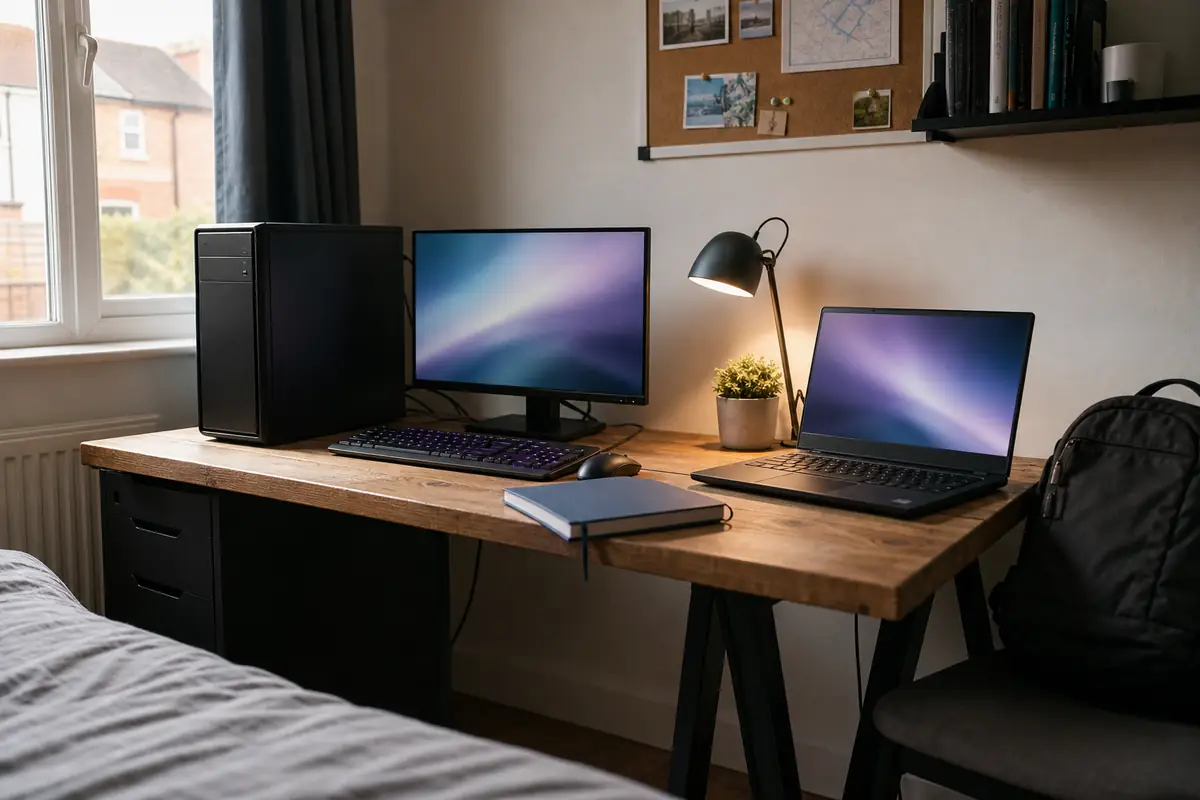
A gaming desktop normally buys more sustained performance, cooling and upgrade freedom; a gaming laptop buys a complete portable system whose screen, keyboard and battery are already in the price.
In this guide
Buy the machine that fits the place where gaming actually happens.
Choose a desktop for a fixed desk, higher sustained frame rates, easier repair and future graphics upgrades. Choose a laptop when one computer must move between rooms, homes, university or work. Never compare desktop and laptop graphics cards by model name alone: their power limits, cooling and memory configuration can differ substantially.
The cheapest-looking option changes when the whole setup is counted. A desktop tower needs a monitor, keyboard, speakers or headset and sometimes Wi-Fi; a laptop includes those items but may need a stand, external screen, dock and quieter peripherals for comfortable desk use. This guide compares complete ownership rather than two headline prices.
Gaming desktop vs laptop: the real trade-off
| Decision area | Gaming desktop | Gaming laptop |
|---|---|---|
| Performance | More cooling and electrical headroom; desktop-class components | Performance constrained by chassis cooling and configured power |
| Included equipment | Tower only unless a bundle explicitly adds peripherals | Display, keyboard, trackpad, webcam, battery and wireless included |
| Upgrade path | Graphics card, storage, memory and often CPU can be replaced | Usually storage and sometimes memory; CPU/GPU commonly soldered |
| Repair | Individual parts can often be diagnosed and replaced | Integrated assembly can make board, display and cooling repairs expensive |
| Portability | Fixed installation with separate monitor and accessories | Transportable complete system, although high-performance models are heavy with their charger |
| Noise and heat | Larger fans can move heat at lower speeds | Small fans and shared heat pipes work harder under gaming load |
A laptop is not simply a smaller desktop. Mobile processors and graphics chips are designed around a constrained power and thermal envelope. Two laptops with the same GPU name can also perform differently because manufacturers configure power limits and cooling differently. A desktop card with the same family number may have more video memory and a much higher sustained power budget.
Current UK RTX 5070 price examples
RTX 5070 listings provide a useful warning against name-only comparisons. The checked laptops used 8GB mobile graphics, while the checked desktop towers listed 12GB desktop graphics. CPUs, memory and storage also differ, so this table is a market snapshot—not a controlled benchmark.
| Exact listing | Core configuration | Price shown on 22 August | What is included or missing |
|---|---|---|---|
| ASUS V16 V3607 gaming laptop Scan |
Core 7 240H; RTX 5070 8GB; 16GB; 1TB; 16-inch WUXGA 144Hz | £1,199.99 | Pre-order listing awaiting an ETA; complete portable system |
| MSI Katana 15 HX gaming laptop Currys |
Core i7-14650HX; RTX 5070 8GB; 16GB; 512GB; QHD 165Hz | £1,499 | Higher-resolution screen but smaller SSD than the Scan example |
| Scan Performance RTX desktop | Ryzen 7 8700F; RTX 5070 12GB; 16GB; 1TB; Windows 11 | £1,599.98 | Pre-order, shown due 25 August; tower only |
| PCSpecialist Flux 610 desktop Currys |
Ryzen 7 7800X3D; RTX 5070 12GB; 16GB; 1TB | £1,799 | Gaming-oriented CPU; still requires display and peripherals |
| HP Omen 16 gaming laptop Currys |
Ryzen AI 9 365; RTX 5070 8GB; 24GB; 1TB; QHD+ 240Hz | £2,049 | Premium screen and memory configuration contribute to price |
Dated price sample: official Scan and Currys UK pages checked 22 August 2026. Prices, bundles, stock, finance and delivery change. The two Scan examples were pre-order listings, so confirm availability as well as price before buying.
The £1,199.99 laptop is cheaper than the £1,599.98 desktop tower, but it does not prove that laptops offer more graphics performance per pound. The graphics implementations, processors and memory differ. It does prove that a complete laptop can have the lower entry price when a buyer owns no monitor or peripherals. Compare exact-system benchmarks at the intended resolution after defining the whole basket.
Why the same GPU badge does not mean the same performance
Graphics performance depends on the exact chip, video memory, power limit, clock behaviour, cooling, CPU, memory configuration and game settings. A laptop maker may prioritise a thin chassis or quiet profile; another may allow the GPU to draw more power. The desktop card has a larger cooler and can sustain a different operating envelope.
Video memory matters when textures, ray tracing and resolution increase. The checked laptop RTX 5070 examples list 8GB, while desktop listings show 12GB. That does not automatically set a frame-rate difference in every game, but it affects headroom and is a reason not to call the products equivalent. Record the full GPU description and configured power, not merely “5070”.
Retailer frame-rate claims can help within one retailer’s consistent methodology, but they are not a substitute for independent testing of the exact model. Game version, drivers, quality preset, upscaling, frame generation and resolution must match. A “240Hz” display also does not promise 240 frames per second in demanding games.
Cooling changes sustained speed
A short benchmark can finish before heat saturates a small chassis. Longer gaming sessions reveal whether clocks, fan noise and keyboard temperatures remain acceptable. A desktop’s larger air or liquid cooler can usually dissipate more heat with lower-pitched fan noise. A laptop may be unobtrusive for browsing and distinctly loud when both CPU and GPU are loaded.
Do not cover laptop intakes with bedding or a sofa. Use it on a hard surface and keep vents clear. A stand can improve posture and airflow, but it does not change the machine’s designed power limits. Any claim that a cooling pad adds a specific frame-rate percentage needs exact-model testing.
Screen resolution determines the workload
A laptop’s built-in resolution is part of the performance equation. The ASUS example is WUXGA, while the MSI and HP examples use higher-resolution panels. More pixels can improve detail and workspace but increase GPU demand. Upscaling technologies can recover frame rate at a quality trade-off that varies by game.
A desktop buyer chooses the monitor independently. That is an advantage if the same display will survive several tower upgrades. It is also a hidden cost: a good 1440p high-refresh monitor can materially change the budget. Our OLED vs IPS screen guide helps separate contrast, glare and refresh from the computer decision.
Calculate the complete three-year cost
| Cost line | Desktop questions | Laptop questions |
|---|---|---|
| Initial hardware | Tower, Windows licence and delivery included? | Exact memory, SSD, panel and charger included? |
| Display and input | Monitor, keyboard, mouse, webcam and speakers required? | Will an external monitor, keyboard and mouse be bought anyway? |
| Connectivity | Does the tower include Wi-Fi and Bluetooth? | Are enough ports present without a dock? |
| Maintenance | Dust filters, thermal maintenance and component replacement | Battery wear, charger replacement and integrated repair risk |
| Future performance | Can one GPU or storage upgrade extend useful life? | Will the whole laptop be replaced when graphics performance is insufficient? |
| Mobility | No portable value | Could it replace a separate study/work machine? |
Start with the final delivered basket, not the tower price. Give zero value to a promotional headset or game that would not otherwise be purchased. Add a monitor only if the buyer does not already own a suitable one, and count its expected life beyond the first computer. Then estimate likely upgrades and repair exposure rather than pretending either machine will remain unchanged.
Electricity use is workload-dependent. A powerful desktop can draw more at full load, but comparing nameplate power-supply wattage with a laptop charger rating is misleading: neither is a continuous consumption measurement. Use measured whole-system power from comparable tests and the buyer’s actual weekly hours. Our total-cost-of-ownership guide provides a reusable calculation.
Upgrades, repair and useful life
A standard desktop case can allow graphics, memory, storage, fans, power supply and sometimes CPU to be replaced. Compatibility still needs checking: motherboard socket and BIOS, power connectors, PSU capacity, card dimensions, cooler clearance and airflow can all block an upgrade. Some branded prebuilt systems use proprietary cases, boards or power supplies, so inspect the exact specification rather than assuming every desktop is modular.
Laptop upgrades are narrower. Many gaming models allow one or two storage drives and may use replaceable memory, but some memory is soldered. CPU and GPU are normally fixed to the motherboard. Battery, keyboard, fans and display can be serviceable parts, yet access, availability and labour vary. Check the service manual and warranty implications before opening a new machine.
For current games, 16GB memory remains common in the checked listings, while 24GB and 32GB appear in higher tiers. Whether more is useful depends on the game, background applications and creative work. Read our 16GB vs 32GB RAM guide before paying for capacity that does not solve the main limit.
How portable is a gaming laptop really?
A 15- or 16-inch gaming laptop and its large power adapter are transportable, not always comfortable for daily lightweight travel. Performance on battery is typically reduced, and serious gaming rapidly consumes charge. The Currys MSI listing stated up to five hours battery life, but manufacturer-style battery claims do not describe demanding gaming. Expect to use mains power for full performance.
Portability is valuable when it prevents buying a second computer or makes regular travel possible. It has little value when the laptop stays closed on a desk connected to a monitor for three years. In that case, the owner accepts smaller cooling and limited upgrades without using the benefit that justifies them.
A desktop can be a quieter, more ergonomic long-session machine because monitor height, keyboard position and chair setup are independent. A laptop can reach the same desk comfort with a stand, external keyboard, mouse and display—but those additions weaken its space and price advantage.
Returns, warranty and delivery
Check whether a custom-configured desktop has different cancellation terms from an off-the-shelf system. Inspect transit damage before setup and keep packaging until the machine has run games and stress tests reliably. For laptops, examine the screen, hinges, charger and ports immediately, and record any dead pixels or cosmetic marks within the return window.
Scan’s 3XS laptop category states a two-year premium warranty for that range, while individual branded products and desktop systems have their own terms. Currys listings show model-specific guarantee periods. Record who handles the fault, whether collection is included and how long repair may take. A desktop built from standard parts may be easier to keep running, but opening or substituting components can affect support arrangements.
Which should you buy?
| Buyer | Better starting point | Why |
|---|---|---|
| Fixed desk, wants maximum performance and future GPU upgrades | Desktop | Cooling, modularity and sustained power |
| University, split household or frequent travel | Laptop | One complete computer moves with the owner |
| No monitor or peripherals and a tight initial budget | Laptop may cost less overall | Display and input devices are included |
| Already owns a good monitor and keyboard | Desktop | More of the budget reaches performance hardware |
| Needs gaming plus mobile creative/work use | Laptop | Mobility can replace a second machine |
| Wants the easiest long-term repair path | Standard-parts desktop | Individual components are more replaceable |
Direct buying checklist
- Match target games, resolution and frame-rate expectations.
- Compare complete specifications and sustained power limits.
- Include monitor, peripherals, battery and future upgrades.
- Value portability only when it will genuinely be used.
Performance, upgrades and repairability lead
The computer has a permanent desk, you already own suitable peripherals or have budgeted for them, and standard replaceable parts will extend useful life.
Portability has genuine everyday value
You regularly move between rooms, homes, university or work and accept tighter cooling, limited graphics upgrades and the cost of replacing more of the machine at once.
Our verdict
Our verdict: a desktop is the stronger gaming investment when it has a permanent home and standard components. A laptop is the stronger life-fit purchase when portability is genuinely used. Do not pay twice—once for laptop mobility and again for a complete docked desktop setup—unless one machine serving both roles is the explicit goal.
Compare retailer service in our Currys review and Scan Computers review. Continue with the future-proof technology guide, browse Tech & Audio or use the UK shop directory.
Check current official listings:
Scan ASUS V16 RTX 5070 laptop ↗Scan 3XS RTX 5070 desktops ↗Currys gaming laptops ↗Currys gaming desktops ↗
Frequently asked questions
Is an RTX 5070 laptop the same as an RTX 5070 desktop?
No — The mobile and desktop implementations can differ in GPU configuration, video memory, power and cooling. The checked laptop listings showed 8GB, while desktop examples showed 12GB. Compare exact-model benchmarks.
Is a gaming desktop always cheaper?
No — A tower may need a monitor, keyboard, mouse, webcam and wireless adapter. A laptop includes these. Desktop value usually appears in performance and upgradeability once the complete basket is matched.
Can a gaming laptop replace a desktop?
Yes, when its performance, ports and cooling meet the workload. A stand and external peripherals improve desk use, but graphics and processor upgrades remain limited.
How long does a gaming PC last?
Useful life depends on game requirements, resolution, quality expectations and repairability. A desktop can often extend life with a graphics or storage upgrade; a laptop may need whole-system replacement sooner.
Should I choose 1080p or 1440p?
1080p reduces GPU load and suits smaller screens; 1440p improves detail on larger displays but requires more performance. Match independent benchmarks to the exact resolution and settings.
Are gaming laptops good on battery?
They can handle light work away from power, but demanding games reduce runtime and performance. Treat advertised battery life as a light-work comparison, not a gaming-session promise.
How we compared gaming desktops and laptops
Recommended Today checked official Scan and Currys UK pages on 22 August 2026. We recorded exact configurations, displayed prices, storage, memory, screen details, graphics memory and stated availability. We used these as a market snapshot and did not infer controlled performance from unmatched systems.
We did not buy, benchmark, open or acoustically test these computers. We make no exact-model claim about frame rate, temperature, noise, power use or battery runtime.
Prices, stock, bundles, specifications and warranty terms change. Recheck every listing and compare independent benchmarks for the exact model before buying.