Computer mouse grip and size guide: hand measurement, shape, weight and desk fit
Sensor specifications cannot rescue a mouse that is too long, narrow, tall or slippery for the hand and task. Start with grip and movement, then add buttons, weight and connection.
In this guide
Choose shape before headline specifications
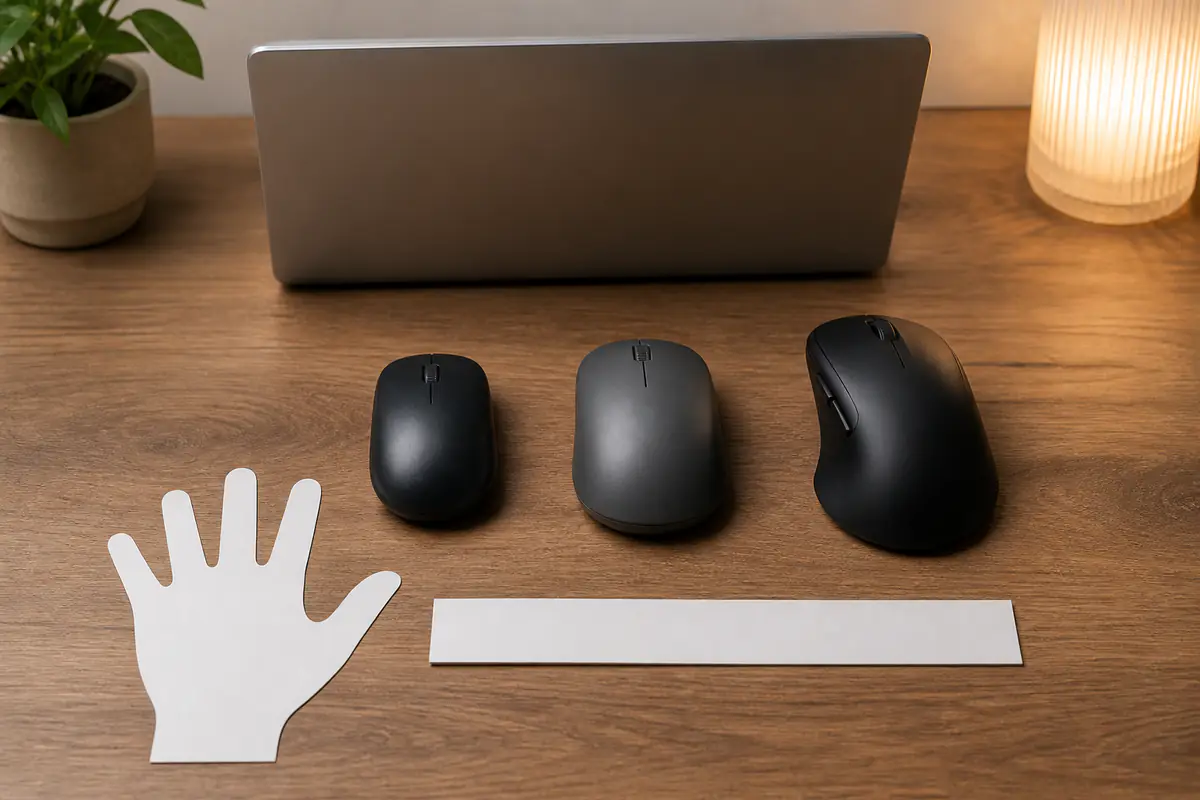
Measure the hand, record grip and desk space, then compare length, width, hump and button reach. A familiar grip label is descriptive rather than diagnostic; the usable mouse permits relaxed control without forced finger or wrist position.
Use the complete mouse buying guide, check specifications through the specifications explainer and preserve the decision with the returns guide.
| Grip tendency | Shape clue | Indoor check | Trade-off |
|---|---|---|---|
| Palm | Longer body and supported rear | Hand rests without forced reach | More contact and bulk |
| Claw | Defined rear support and button access | Fingers flex without strain | Fit is sensitive to hump position |
| Fingertip | Shorter controllable body | Move without palm obstruction | Less passive support |
| Mixed | Moderate dimensions and neutral sides | Switch tasks and grips | May not optimise one style |
Fit record before ordering
- Hand length and width method.
- Current grip during real work.
- Mouse length, width and height.
- Hump position and side shape.
- Weight and balance.
- Button reach and scroll mechanism.
- Desk, mat and keyboard position.
- Return and hygiene conditions.
Observe the grip during real work
Use the current mouse for ordinary browsing, editing or gaming and note which parts of palm and fingers touch during movement. Grip can change between precise and fast tasks, so do not pose the hand to match an online diagram.
Palm, claw and fingertip are useful descriptions, not rigid categories. A mixed grip is normal. Choose a shape that accommodates actual movement rather than buying a product solely because it is marketed for a named style.
Measure the hand consistently
Record hand length from wrist crease to longest fingertip and width across the knuckles using the method required by the comparison source. Keep the hand relaxed and note which hand will use the mouse.
Measurements help compare dimensions; they do not calculate a perfect size. Repeat the same method and preserve uncertainty where a manufacturer recommendation uses another reference point.
Compare length with finger reach
A long shell can support more palm but may push buttons beyond comfortable reach. A short shell can aid fingertip movement while leaving a palm grip unsupported.
Place the index and middle fingers naturally and check whether clicks occur without sliding the hand forward or curling excessively. Front flare and button slope matter as much as the overall number.
Judge width at the grip point
Published maximum width may occur where the hand does not hold the mouse. Seek waist, front and rear dimensions or useful photographs, then note whether sides taper, flare or remain vertical.
A narrow grip can require pinching; a wide one can force finger spread. Side buttons and ledges reduce usable room, so exterior width alone does not establish comfort.
Locate the hump, not just its height
Two mice with the same height can support different parts of the hand because the highest point sits centrally or toward the rear. Hump shape affects palm contact, claw support and vertical wrist angle.
Compare side profiles at the same scale where possible. A high rear hump may feel secure to one user and obstruct another’s fingertip movement; a low shell can reduce contact but increase muscular control.
Check left, right and symmetrical shapes
An ergonomic right-handed shell can provide thumb support but is unusable for left-hand switching. A symmetrical shell may suit either hand, though side buttons can still favour one side.
Decide whether the mouse must be shared, used for accessibility or alternated between hands. Do not infer true ambidextrous control from a visually symmetrical top.
Treat weight and balance together
Total grams affect starting and stopping effort, but distribution and glide alter perception. A rear-heavy wireless mouse can feel different from an evenly balanced model of the same listed weight.
Lighter is not universally more comfortable and heavier is not automatically precise. Choose for sensitivity, desk area, task duration and control without inventing an injury-prevention claim.
Include feet, mat and desk space
Mouse feet and surface influence friction. Record mat dimensions, keyboard position and the movement range available before choosing a low-sensitivity setup that needs large sweeps.
A premium sensor cannot create desk clearance. Use a clean compatible surface and keep cables, displays and wrist rests from forcing the shoulder or wrist into an awkward route.
Map button and wheel reach
Count only controls that can be reached without changing the grip unintentionally. Thumb buttons that sit too high, low or far back can be unusable even when software supports them.
Check primary click position, wheel resistance, middle click and tilt or free-spin modes where relevant. More controls add learning and accidental-input risk as well as convenience.
Keep sensor needs proportionate
Modern sensors often exceed ordinary office requirements. Focus on reliable tracking at the intended sensitivity, lift behaviour, surface and software support rather than buying the largest DPI number.
Use the broader mouse guide for polling, switches and wireless details. These specifications should follow shape and fit, not displace them.
Compare cable and wireless fit
A cable adds drag and desk routing; wireless adds battery, receiver or Bluetooth management. Record device compatibility, charging port position and whether the mouse can be used while charging.
Receiver storage matters for travel, while Bluetooth switching matters across devices. Check charging compatibility with the USB-C charger guide. A connection feature has value only when it fits the actual computer and security policy.
Treat software as an ownership dependency
Button remapping, profiles, sensitivity and updates may require software and an account. Check supported operating systems, offline behaviour and whether settings are stored on the mouse.
Do not install software from an unofficial mirror. For managed work equipment, confirm permission and data policy before choosing a mouse whose essential functions depend on a driver.
Plan cleaning and surface durability
Skin oils and dust collect around buttons, seams, wheel and textured sides. Read cleaning instructions and whether soft-touch coatings, rubber grips or perforations suit the household and maintenance routine.
Do not pour cleaner into openings or abrade coatings to test durability. The quality guide helps assess seam, switch and surface evidence without unsupported lifespan claims.
Preserve a clean return trial
Mouse returns can be affected by condition and packaging. Keep films, cable ties, receiver and inserts while checking fit with clean hands during a short indoor session.
Record the deadline before installing account-bound software or discarding components. A changed-mind fit issue and a double-click, tracking or charging fault require different evidence; the warranty guide explains additional commercial cover.
Run a repeatable desk trial
Confirm model, handedness, connection and included parts. Place keyboard, mat and display as normally used, then set a familiar sensitivity rather than adapting immediately to extreme settings.
Complete ordinary pointing, dragging, scrolling, text selection and shortcut tasks for several short sessions. Notice forced reach, pinching, wrist deviation, shoulder movement and accidental buttons without claiming a medical diagnosis.
Try the real grip transitions and, if relevant, another device or connection. Check charging and receiver storage, but do not run destructive switch-count or battery-drain tests. Stop for pain or numbness and seek appropriate ergonomic or medical advice if symptoms persist.
Compare with the previous mouse using the same tasks and settings. Decide keep, exchange or return based on specific length, width, hump, weight or control evidence rather than assuming unfamiliarity always disappears.
Record the fit rather than the novelty
Write which fingers reach each control, where the palm contacts the shell, the chosen sensitivity, desk area and any forced movement after the short sessions. Separate shape evidence from unfamiliar button mapping or a new scroll mechanism.
If exchanging, change the dimension linked to the problem: shorter length for front reach, different hump for palm contact or altered width for pinch. Buying another highly reviewed mouse without identifying the failed dimension merely restarts the same uncertainty.
Palm support or fingertip freedom?
A longer higher shell matches the resting hand
Buttons remain reachable and the hump supports without forcing wrist, fingers or grip.
A shorter lower shell suits active control
The mouse moves easily without pinching, excessive tension or unstable button access.
Balanced verdict
Mouse fit is a three-dimensional interaction between hand, task and desk. Measure consistently, compare length, width and hump location, then test weight, controls and connection in a clean returnable trial.
The linked mouse, specifications, quality and returns guides cover the surrounding decision.
Official checks:
HSE display screen equipment guidance ↗
NHS repetitive strain injury information ↗
GOV.UK product safety advice ↗
GOV.UK returns and refunds ↗
Frequently asked questions
What mouse size suits my hand?
Compare consistently measured hand dimensions with the mouse length, grip width and hump position, then test the real tasks.
Is palm grip better than claw grip?
No grip is universally better. The useful shape supports actual movement and tasks without forced reach or tension.
Is a lighter mouse always more comfortable?
No — Weight, balance, glide, sensitivity, desk area and task all affect control and effort.
Can a symmetrical mouse be used left-handed?
Sometimes, but button placement, software and shell details can still favour one hand. Check the exact model.
How long should I test a mouse?
Use several short clean sessions within the return window. Stop for pain or numbness rather than extending a trial.
Methodology and limitations
We assessed mouse fit through observed grip, hand measurement, length, width, hump, handedness, weight, surface, controls, sensor needs, connection, software, cleaning, returns and a repeatable desk trial. Official HSE ergonomics, NHS RSI, product-safety and returns information was reviewed on 1 September 2026. We did not clinically assess a user or endurance-test a mouse.
Limitations
Hands, tasks, sensitivity and symptoms vary, while dimensions are measured inconsistently. This is buying guidance, not medical or ergonomic treatment; seek appropriate professional advice for persistent discomfort.