Matter Smart Home Starter Guide: Useful Devices Without Ecosystem Lock-In
Matter gives compatible smart-home products a shared language, but it does not remove apps, accounts or hubs. Start with one controller, one verified device and one automation with physical fallback.
In this guide
Start with lighting, not a house-wide conversion.
Check whether your existing Apple, Google, Amazon, Samsung or IKEA hardware is already a Matter controller and, for Thread devices, a Thread border router. Then buy one certified bulb or plug for one room. Test household sharing, schedules, physical control and recovery before adding sensors, locks or heating.
Matter reduces compatibility friction; it does not guarantee the same features in every app. A manufacturer can expose basic on/off control to Matter while keeping energy graphs, scenes, firmware options or advanced settings in its own app. Design around functions you can verify today, not a promise of future interoperability.
Use this guide with our future-proof technology guide, device support guide, smart-home compatibility checklist and UK retailer directory. We did not install or endurance-test the sampled products.
Matter explained without the jargon
Matter is an application-layer standard maintained by the Connectivity Standards Alliance. It specifies how certified devices identify themselves, join a home and expose common controls. It can use Ethernet, Wi-Fi or Thread underneath. Bluetooth is commonly involved during commissioning but is not the normal control network.
A Matter controller adds and controls devices within an ecosystem. A Thread border router connects low-power Thread devices to the home’s IP network. One piece of hardware can perform both roles, but not every controller includes Thread. A bridge can expose an older non-Matter system—such as a family of Zigbee lights—to Matter platforms.
Multi-Admin permits a device to be shared with more than one ecosystem. The Alliance’s later specifications improve that experience, but platforms and products adopt versions at different speeds. “Matter compatible” therefore means a common foundation, not feature parity or effortless migration.
Current UK starter prices
| Official product checked | Price | Role and limitation |
|---|---|---|
| IKEA KAJPLATS E27 470-lumen white-spectrum bulb | £5 | Matter over Thread; requires a Thread border router for phone control. Remote and hub sold separately. |
| IKEA KAJPLATS E27 white-spectrum starter kit | £9 | Low-cost lighting trial; confirm fitting, included controller and required hub for desired app features. |
| IKEA DIRIGERA hub | £70 | Matter controller, bridge and Thread infrastructure for IKEA Home smart; Ethernet and power required. |
| Apple HomePod mini | £99 | Apple home hub with smart-home functions; buy for the Apple ecosystem and audio, not solely as the cheapest generic Matter controller. |
Price snapshot: official UK pages rechecked 18 August 2026. Prices, availability and bundles change. IKEA’s catalogue labels several KAJPLATS bulbs and sensors Matter compatible. Check the product page for Thread, fitting, lumen output and required controller before payment.
What hardware do you actually need?
If you already have a compatible home hub
Open the manufacturer’s current support list and identify the exact generation. Product-family names are dangerous: one speaker or display revision may support Matter control but lack Thread, while a newer one includes both. Update it, confirm the household account and test its normal app before buying an accessory.
If you have no smart-home hardware
Choose the primary ecosystem based on household phones, privacy preferences, accessibility and the interfaces people will genuinely use. A controller that doubles as a useful speaker, display or router may be better value than a dedicated box. However, do not replace working hardware only to add one £5 bulb.
If you already own IKEA smart products
DIRIGERA is a logical candidate because IKEA describes it as a Matter bridge and controller and says older compatible IKEA products can continue through the bridge. The official page currently prices it at £70. That does not make it universal: verify whether each desired third-party device is supported in the IKEA app and whether another ecosystem is needed for advanced functions.
Wi-Fi, Thread and bridges: choose deliberately
Wi-Fi devices use the existing wireless network and can be simple for a small setup, but many low-cost devices competing on 2.4GHz can add network load. Thread is a low-power mesh suited to bulbs, sensors and plugs; mains-powered Thread devices may strengthen the mesh, while battery devices generally do not route traffic. Thread needs a border router.
A bridge is not automatically lock-in. It can give mature local radio devices a stable route into several ecosystems and reduce Wi-Fi congestion. The trade-off is dependency on that bridge for translation and firmware. Record which functions work locally, which need the vendor cloud and what happens if the manufacturer account is unavailable.
Avoid building two overlapping systems accidentally. If the first Thread accessory triggers a hub purchase, calculate that infrastructure as part of its price. Our total-cost guide helps expose subscriptions and replacement hardware.
The best first Matter devices
One smart bulb or plug
Lighting is reversible and easy to judge. Pick a bulb with the correct E27, E14, B22 or GU10 fitting and enough lumens for the task. A plug is useful for a simple lamp or fan, but never use one above its rated load or with equipment that should not restart unattended.
A motion sensor with physical fallback
A hallway or utility-room sensor can deliver real value without voice control. Pair it with a physical button and define behaviour after power loss. Check whether the chosen ecosystem supports the sensor’s occupancy and light-level capabilities or only its basic motion event.
Leave locks, alarms and heating until later
Security and heating require stronger reliability, permission and recovery planning. Confirm battery warnings, guest access, emergency operation, support life and installer requirements. Matter compatibility alone is not a safety case.
A low-risk starter plan for under £100
- Inventory existing controllers. Write down model and firmware, not the family name.
- Choose one primary app. Add the people who must control the home before adding accessories.
- Select one room and problem. For example, make a hall lamp turn on after dark.
- Buy one certified device. Confirm radio, controller, Thread requirement and physical fitting.
- Keep the setup code. Photograph or securely record it away from public view; do not discard packaging immediately.
- Test locally. Disconnect broadband while retaining the local network and check essential controls.
- Share carefully. Add a second ecosystem only after the primary setup is stable.
A £5 bulb is not a £5 smart-home system if it needs a £70 hub. Conversely, an existing compatible speaker can make the same bulb an inexpensive test. Buy infrastructure for a credible three-device plan, not because a compatibility badge suggests inevitability.
How to reduce ecosystem lock-in
| Check | Better evidence | Warning sign |
|---|---|---|
| Certification | Exact model in an official certified-product directory | A marketplace title using “works with” loosely |
| Multi-Admin | Documented sharing steps for both chosen platforms | Assuming every feature transfers |
| Local behaviour | Schedules and controls documented without cloud | Mandatory remote account for basic operation |
| Support | Published minimum security or compatibility period | No update commitment |
| Exit route | Reset, ownership transfer and replacement process | Device becomes waste when one account closes |
IKEA publishes minimum support periods: at least three years after purchase for relevant hub/app compatibility and security updates, and at least five years for supported smart products paired to its hub or gateway. A time-bounded statement is more useful than “future-proof”, though buyers should recheck the exact scope and start date. Our warranty and guarantee guide explains why a support promise should be recorded separately from statutory rights.
Prefer simple automations whose logic exists in a local controller. Keep a physical switch or manual route. Use neutral room and device names that remain understandable across apps. Maintain a small inventory of model numbers, setup codes, batteries and reset instructions, stored securely.
Privacy and security checks
Matter uses modern security foundations, but household security includes the controller account, router, phone and manufacturer app. Use unique passwords and multi-factor authentication where available. Remove old household members, update controllers promptly and do not expose setup codes in photographs or second-hand listings.
Separate convenience devices from high-consequence decisions. A lamp failing is annoying; a lock, alarm, camera or heating control failing can be serious. Read the privacy notice for data collected outside Matter, including voice, camera, location and diagnostics, and avoid granting permissions that the device does not need.
Common Matter buying mistakes
The first is confusing a controller with a Thread border router. Matter-over-Wi-Fi may work while a Matter-over-Thread sensor remains unreachable. The second is assuming the logo transfers advanced functions; platform support can lag behind the device specification.
The third is discarding the commissioning code. Resetting, sharing or moving a device can require it. The fourth is creating automations that leave wall switches unusable. A smart bulb with its power permanently cut is no longer smart. The fifth is buying a whole kit before testing household permissions and recovery.
Finally, do not treat a new Matter release as an instant upgrade to installed products. The Alliance publishes specifications; manufacturers and platforms decide when hardware receives features. Buy on current, documented behaviour.
Our recommended starter configuration
Your controller supports the chosen radio
Update it, add one certified bulb or plug and test one automation before expanding.
It bridges devices you already own
The hub solves a real compatibility or local-control need across several planned devices, not one novelty.
Our verdict
Matter makes a mixed-brand smart home more plausible, not maintenance-free. The best starter system is deliberately small, locally useful and recoverable. Use Multi-Admin only where a second ecosystem solves a household need, and retain a physical control path.
Check current official information:
CSA Matter roles ↗IKEA Matter guide ↗IKEA DIRIGERA ↗Apple HomePod mini ↗
For a first room-level project, apply these compatibility checks with our Smart Lighting with Matter: Bulbs, Hubs, Switches and Compatibility.
Frequently asked questions
Do all Matter devices need a hub?
They need a Matter controller. Thread devices also need a Thread border router. Existing speakers, displays, routers or hubs may already perform these roles.
Does Matter work without the internet?
Its IP-based local control can work on the home network, but particular apps, voice assistants, remote access and vendor features may still need cloud connectivity.
Can Apple and Google control the same Matter device?
Multi-Admin is designed for sharing across ecosystems, provided the device and both platform implementations support the required path. Feature sets can differ.
Is Thread the same as Matter?
No. Thread is a low-power IP network beneath Matter. Matter can also run over Wi-Fi and Ethernet.
Should I buy DIRIGERA for one IKEA Matter bulb?
Not automatically. Check whether an existing Thread-capable Matter controller can run it. DIRIGERA makes more sense when its IKEA app, bridge and multiple-device plan are useful.
How this guide was prepared
We checked official Connectivity Standards Alliance explanations and official UK IKEA and Apple product and support pages, then rechecked the quoted UK prices, current availability, Matter-over-Thread requirements, hub roles and support-policy wording on 18 August 2026. Prices are dated examples, not permanent recommendations. We did not install, commission or stress-test these products.
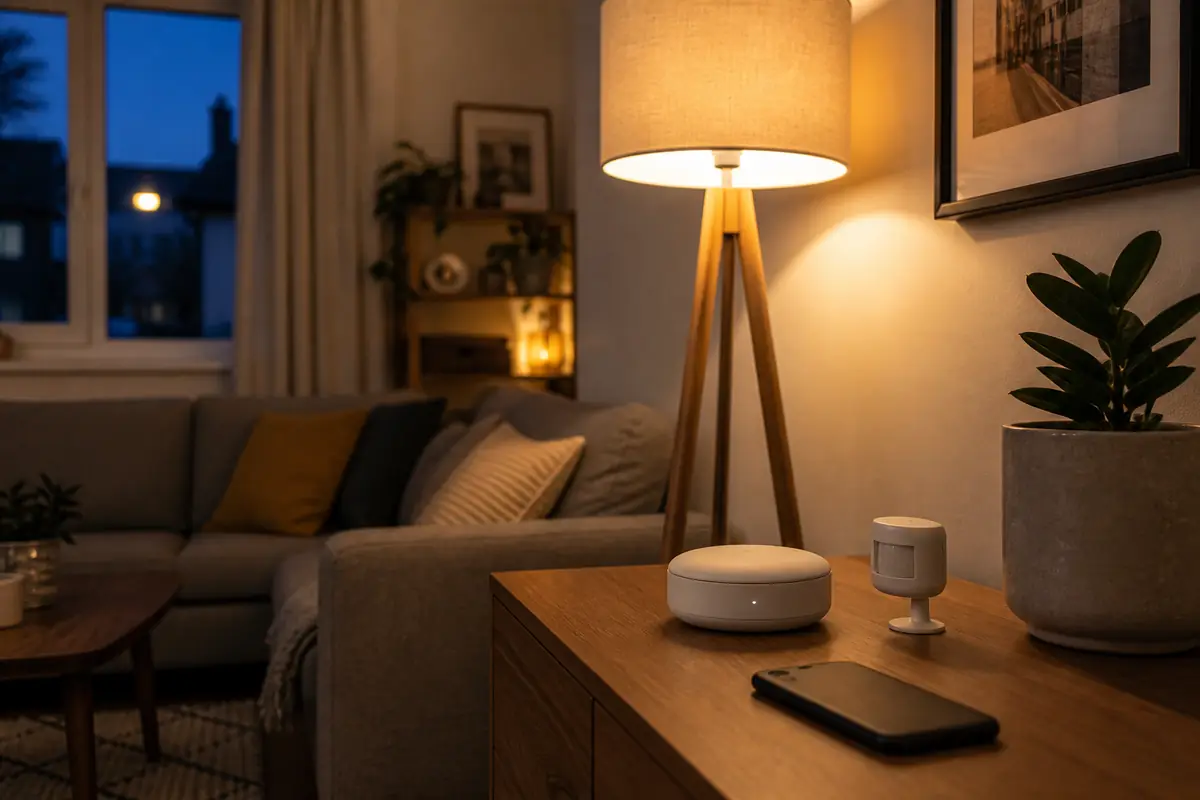
The image is an editorial illustration, not a photograph from a product test. Editorial links are non-affiliate.
Compatibility, firmware, features, prices and support periods change. Verify the exact model, controller, radio and current platform documentation before purchase.